Design jobs and recurring maintenance, all in one place.
Landscaping mixes one-time installs with recurring maintenance. Revcore keeps proposals, crews, and recurring billing organized so both sides of the business grow together.
14-day free trial, no credit card required.

What landscaping contractors need from software
Landscaping companies run two businesses at once: design and install projects that sell on a proposal, and recurring maintenance that lives on routes and monthly billing. Revcore Pro keeps both in one login, with tiered install proposals, deposits at signing, a crew board, a job map, and maintenance plans that charge the card on file each cycle.
Where landscaping jobs get stuck.
The same few things cost landscaping crews time and money on every job. This is what Revcore takes off your plate.
- 01
Design quotes that take too long
Build planting and hardscape proposals fast with photos and clear pricing.
- 02
Recurring billing by hand
Set up maintenance plans that invoice automatically every cycle.
- 03
Crews out of sync
Assign crews on the crew board and confirm who is on site with GPS clock-in.
How a landscaping job runs in Revcore.
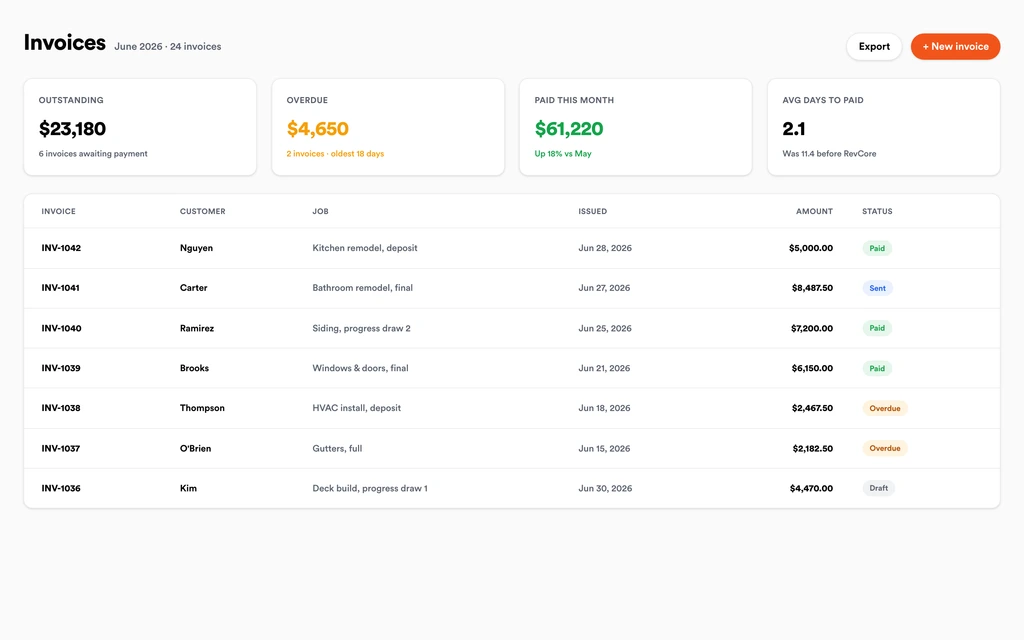
From the first call to the final payment, every step happens on the same job record, so nobody retypes anything and nothing waits on the office.





Landscaping job, example
Turn spring inquiries into booked walkthroughs
1/7





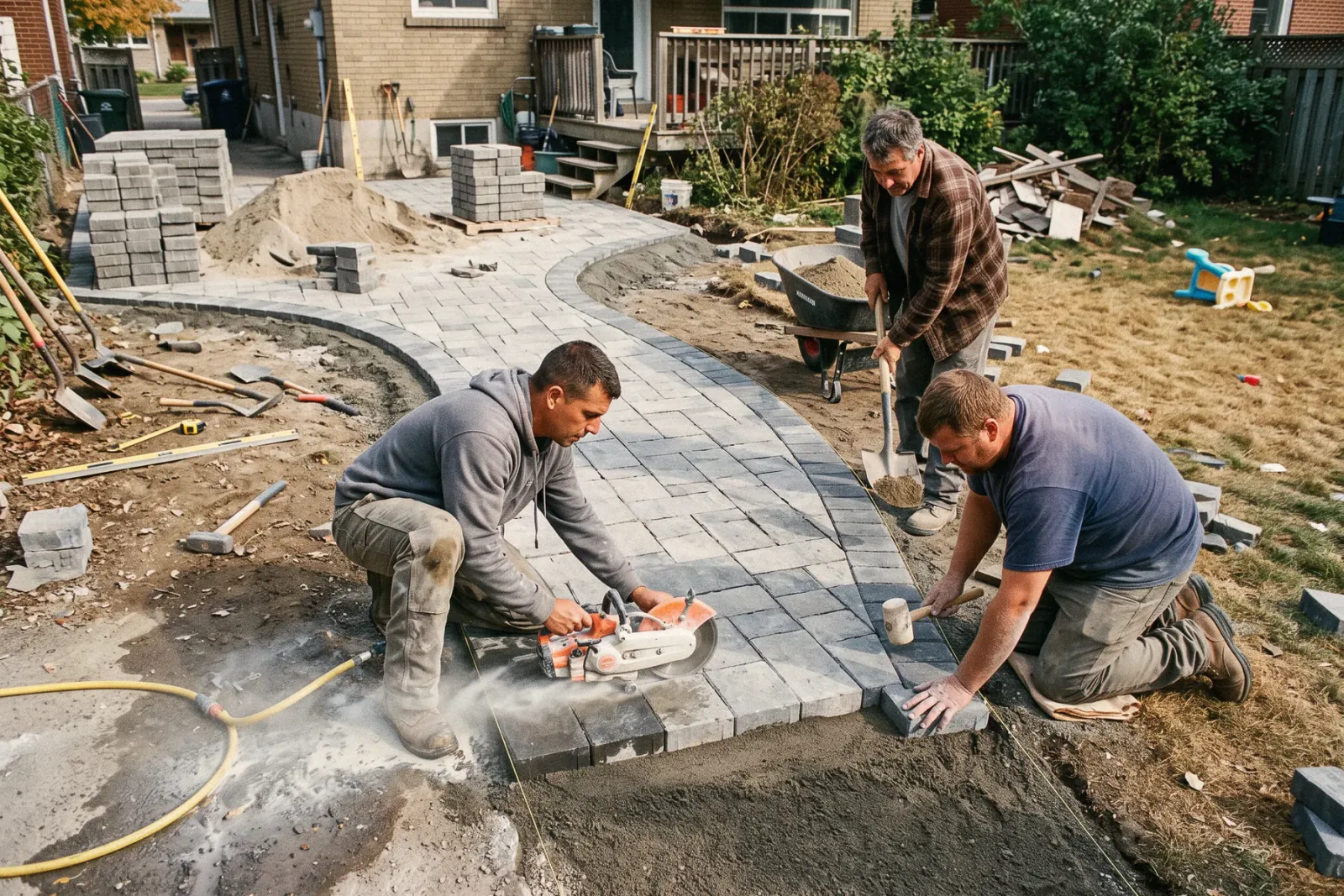
Web forms drop leads onto the pipeline, and two-way texting lets you reply in seconds. A short qualification survey asks about lot size, irrigation, and whether they want a one-time cleanup or weekly service.
SurveysPhotograph the yard, the drainage problem, and the tired foundation beds from your phone. Mark up photos to show where the new bed line, sod, or retaining edge goes, and add your square footage and plant counts to the job.
Job tracking and photosBuild Good, Better, Best from saved line items and assemblies for mulch, sod, plantings, edging, and irrigation zones. Each tier shows its margin, and the client signs and pays the install deposit from their phone.
EstimatesOnce the install is in, offer mowing, bed care, and seasonal cleanups as a maintenance plan billed monthly, quarterly, or annually. Visits land on the calendar and the card on file is charged each cycle without an invoice run.
Service agreementsDrag properties onto each crew and day on the crew board, and use the job map to keep a crew's stops in one area. Clients get automatic appointment reminders, and crews see their next stop with directions and clock in and out from their phones, so the office knows where the day stands.
Field and dispatchCrews clock in from the site with GPS and location consent, and hours tie to the job. You can see which maintenance properties run long and which installs ate more labor than you bid, without collecting paper timesheets from the trucks.
SchedulingInvoice the install from the finished job with any added plantings or change orders already on it. Send a text-to-pay link or charge the card on file on site, and payouts land in 1 to 2 business days, or instantly for eligible accounts.
InvoicingSet up for the way landscaping jobs run.
Visual proposals
Design and install options with photos clients approve from their phone.
Maintenance plans
Recurring visits billed automatically so cash flow stays steady.
Crew scheduling
Plan installs and maintenance visits and keep everyone on the same schedule.
Payments in the field
Collect for installs and recurring work without the chase.
What to look for in landscaping software.
Take this list to any demo or trial, ours included. If a tool cannot show you each of these on a real job, keep looking.
Installs and maintenance in one system
Design jobs and recurring accounts should share one customer record, so an install client becomes a maintenance client without re-entering anything.
Recurring billing that runs itself
Maintenance plans should charge the card on file on a set cadence. Check which cadences are supported, since Revcore bills monthly, quarterly, semiannually, or annually.
A map for maintenance days
Look for a job map that shows where every property sits, so you can group nearby lawns on the same day and drive time does not eat the margin.
Tiered install proposals
Offering a basic refresh next to a full redesign earns upgrades. Clients should sign and pay the deposit from the same proposal.
GPS clock-in tied to properties
Labor is the biggest cost in landscaping. Hours should land on the specific property so you can spot accounts priced too low.
Seasonal marketing and follow-ups
Aeration, fall cleanup, and mulch season all need a nudge. Automated texts and emails should go out without a separate marketing tool.
Photos with markup on the job
Before and after shots sell the next install and settle disputes about what was done. Keep them on the job, not on a crew phone.
Seats for seasonal crews
Crew counts swing with the season. Per-user pricing gets expensive in May, so look for plans with crew seats included.
The whole platform comes standard.
Quoting is the start. Every landscaping account runs the full job, from the first lead to the final payment, in one login.
- CRM and pipelineEvery lead and job on one board
- Estimates and proposalsGood, Better, Best, signed on the spot
- Scheduling and dispatchCrews on one shared calendar
- CommunicationsTexts, calls, and email in one thread
- Invoicing and paymentsDeposits and finals, paid online
- Service agreementsRecurring work, tracked
- AutomationsFollow-ups that send themselves
- ReportingRevenue and close rate at a glance
Landscaping software, by category
Looking for one piece? Each page shows how that part works for landscaping crews.
Comparing landscaping software?
Honest side-by-sides with the tools landscaping crews weigh most. Every plan is one flat price with crew seats included. See pricing.
- Revcore vs JobberPopular with maintenance routes. Revcore adds tiered install proposals and an in-home presentation.
- Revcore vs Housecall ProBroad home service tool. Revcore includes crew seats in a flat plan price.
- Revcore vs ServiceM8Simple job management for small crews. Revcore adds pipeline, proposals, and recurring plans.
- Revcore vs SquarePayments and simple invoices. Revcore wraps payments into the full job and maintenance plan.
- All comparisons →
“Photos, scheduling, and payments live in one login. My crews update the office without a single end-of-day phone call.”

Composite operator based on early-access usage. Outcomes are illustrative; individual results vary.



Landscaping questions, answered.
Still deciding if Revcore fits your crew? Talk to our team.
What is the best software for landscaping companies?
It depends on your mix of installs and maintenance. Maintenance-heavy companies need recurring scheduling and billing, while design-build shops need strong proposals and deposits. Revcore Pro covers both in one login with seats included. Jobber is a common choice for maintenance routes, and dedicated landscape tools like LMN or Aspire are often used by larger commercial firms focused on estimating and job costing.
Can Revcore bill weekly mowing clients automatically?
Yes, on a monthly, quarterly, semiannual, or annual cadence. Most landscapers set weekly mowing up as a monthly maintenance plan, schedule the weekly visits on the calendar, and let Revcore charge the card on file each month. Weekly billing cycles are not supported, so price the plan per month.
Does Revcore measure lawns or properties from satellite images?
No. Revcore does not measure properties from aerial or satellite imagery. Measure on site or use your preferred measuring tool, then enter the square footage and quantities into your saved line items to build the quote. The margin check on each tier shows whether the price still works before it goes out.
How do I handle seasonal cleanups and one-time jobs?
Add spring and fall cleanups as scheduled visits on a maintenance plan, or quote them as one-time jobs with their own estimate. Automations can text past clients before the season starts so cleanup work books ahead of the rush, and review requests can follow each finished job.
Can I track crew hours by property?
Yes. Crews clock in from the field with GPS and location consent, and the hours tie to the job. Reporting shows performance by crew, so you can compare hours spent against what each property or install was priced at, and reprice maintenance accounts at renewal instead of guessing.
Can I sell landscape design and install projects in Revcore?
Yes. Build tiered proposals from saved assemblies for plantings, sod, hardscape edging, and irrigation, attach photos and marked-up plans, and have the client sign and pay the deposit from their phone. The approved estimate becomes a job without retyping, and change orders for added plantings roll onto the final invoice.
Does Revcore work with QuickBooks for landscaping?
On the Scale plan, Revcore connects to QuickBooks Online and imports your customers and the last 12 months of invoices, so you start with your history. It does not send invoices or payments back to QuickBooks yet. Every plan can download a full export of its data for your bookkeeper. Most landscapers keep Revcore as the source for jobs and billing and use QuickBooks for the books, so the same invoice is not edited in two places.
Does it work on my phone in the field?
Yes. Revcore runs on the web, iOS, and Android, so landscaping crews can open the job, add photos, take a signature, and collect payment from the site.
How fast can we switch over?
Most crews are live within a week. Paid plans include hands-on onboarding: we import your customers and pricing, set up your proposal templates, and add your team, then check in until it sticks.
What does Revcore Pro cost for landscaping?
Plans start at $249/mo billed monthly ($207/mo on annual billing, 2 months free) with crew seats included, plus CRM, estimating, scheduling, and invoicing. Every plan includes a 14-day free trial with no credit card required.







