Sell the patio with a proposal that pops.
Pavers, walls, and outdoor living are high-ticket visual sales. Revcore helps you present the design, price the materials, and collect deposits so big projects start on time.
14-day free trial, no credit card required.
What hardscape contractors need from software
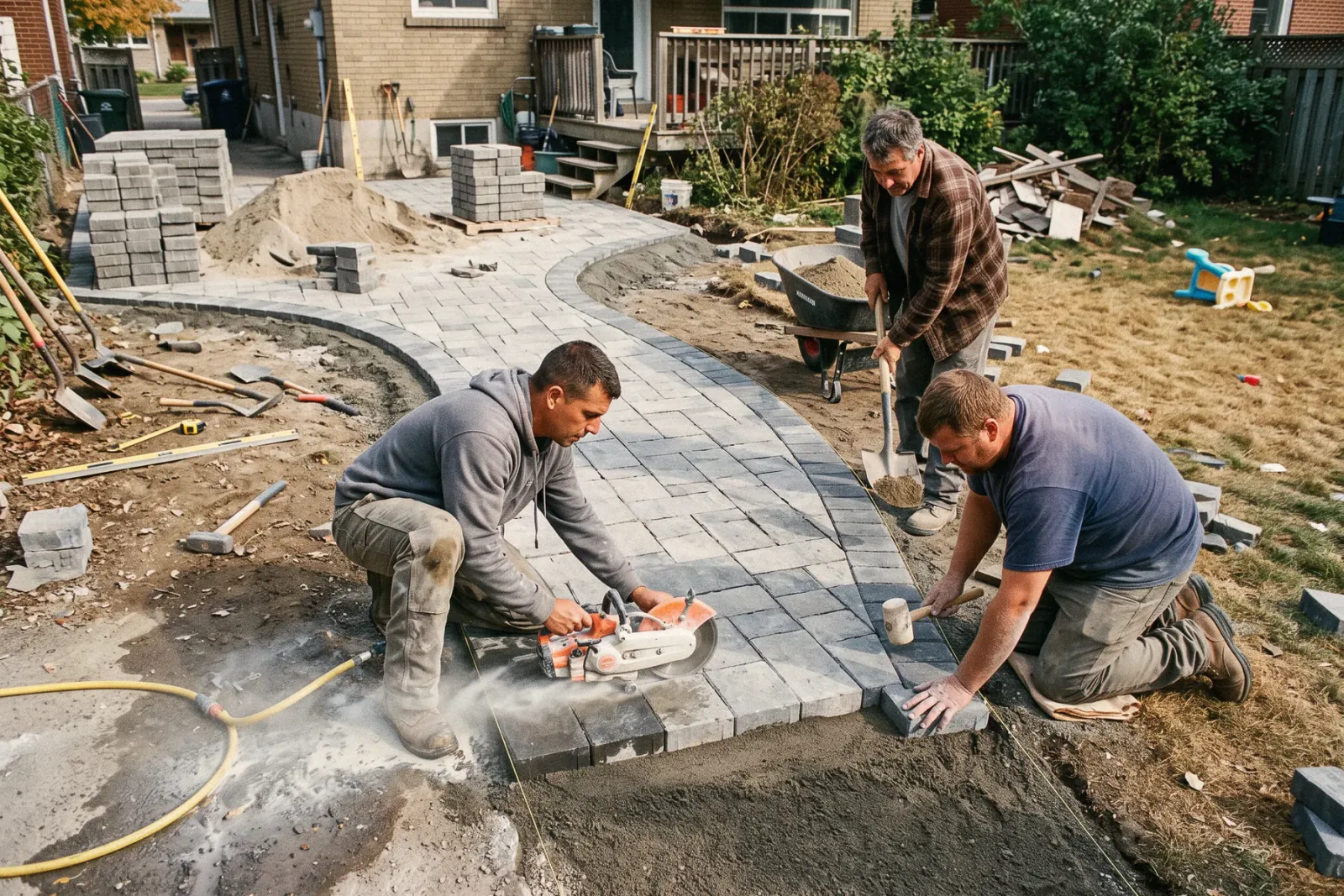
Hardscape contractors sell patios, retaining walls, and outdoor living spaces as high-ticket visual projects, so they need a proposal that shows options, material pricing tied to real quantities, and a deposit that covers the pallet order. Revcore Pro runs that job from the design consultation to the final payment, with tiered packages, an in-home presentation, crew scheduling for multi-day installs, and milestone billing.
Where hardscape jobs get stuck.
The same few things cost hardscape crews time and money on every job. This is what Revcore takes off your plate.
- 01
Designs that are hard to sell flat
Show the project with photos and tiered options that earn the upgrade.
- 02
Material takeoffs that miss
Price pavers, base, and walls with quantities tied to the job.
- 03
Big deposits that come in slow
Collect a deposit on approval so materials get ordered without floating cost.
How a hardscape job runs in Revcore.
From the first call to the final payment, every step happens on the same job record, so nobody retypes anything and nothing waits on the office.




Hardscape job, example
Qualify the outdoor living lead
1/7




Leads from your site forms land on the pipeline. A qualification survey asks about project type, rough size, budget range, and access for equipment, so you only drive out for consultations worth the trip.
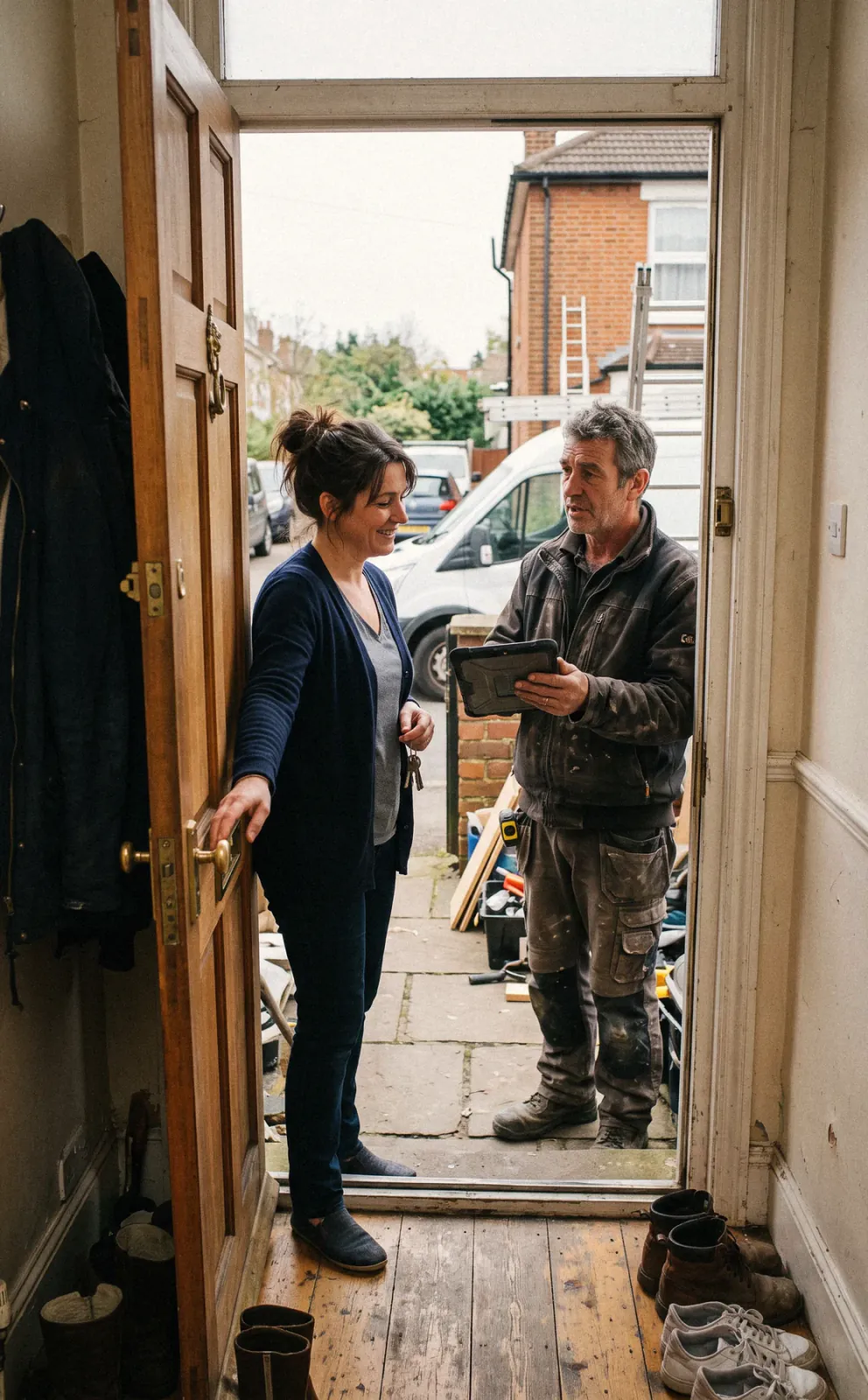
CRM and pipelineShoot the yard, the grade, and the access path, then mark up photos to show the patio footprint, wall location, and steps. Log your square footage, wall face, and base depth on the job so the estimate starts from real numbers.
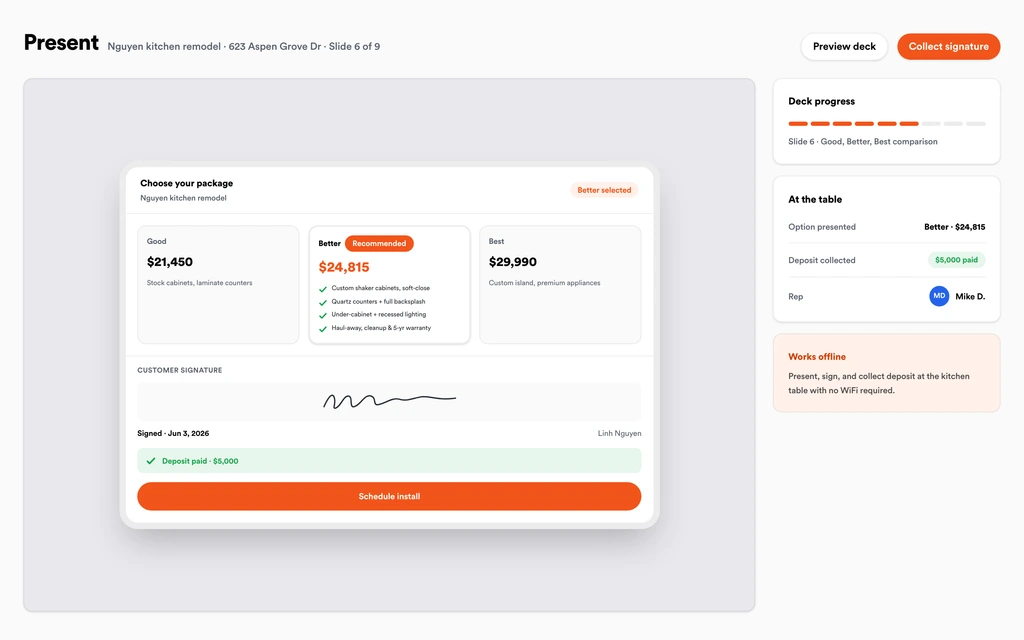
Job tracking and photosWalk the homeowner through a paver patio, a patio with a seat wall, and a full outdoor living package in the in-home presentation. Show monthly payment math if it helps the conversation, then collect the signature and deposit together.
Sales presentationsEstimates pull saved assemblies for excavation, aggregate base, sand, pavers, edge restraint, wall block, and caps, with material and labor rates mapped to your zip code. A margin check on each tier keeps the upgrade profitable.
EstimatesBook the dig, base compaction, and lay days on the crew board, and drag the job when rain soaks the base. The homeowner gets a text when dates move, and crews clock in from the site with GPS.
SchedulingWhen the homeowner asks for a fire pit, lighting, or an extra step, they submit it from the portal. You price the change order and send it back, they approve and e-sign it, and it rolls onto the invoice so nobody has to remember it at the final walk.
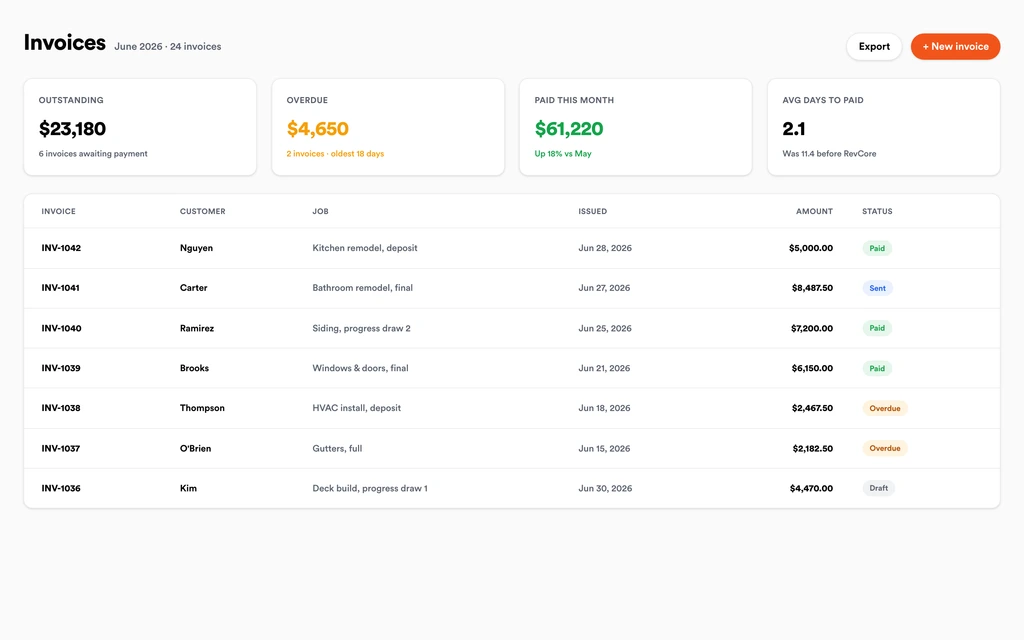
Homeowner portalCollect the deposit at signing, a progress payment when the base is compacted, and the final after polymeric sand and cleanup. Send text-to-pay or ACH links from the job, and payouts land in 1 to 2 business days, or instantly for eligible accounts.
InvoicingSet up for the way hardscape jobs run.
Visual proposals
Patio, wall, and outdoor living packages clients approve from their phone.
Material estimates
Quantities and pricing for pavers, base, and stone built into the quote.
Crew scheduling
Plan multi-day installs and confirm crews with GPS clock-in.
Deposit and final billing
Collect deposits up front and finals on completion.
What to look for in hardscape software.
Take this list to any demo or trial, ours included. If a tool cannot show you each of these on a real job, keep looking.
Visual, tiered proposals
Hardscape sells on what the homeowner can picture. Look for photo-rich proposals with good, better, and best packages side by side.
Assemblies for base and materials
Excavation, base, pavers, and wall block should price together from saved assemblies, so every bid includes the layers that are easy to forget.
Margin visibility per option
Natural stone and large-format pavers carry different margins. You should see the margin on each tier before the proposal goes out.
Deposits that cover materials
Pallets of pavers and block are a real outlay. The deposit should be collected with the signature, not days later.
Multi-day crew scheduling
Patios and walls run across several days and move with weather. Look for a drag-and-drop board and automatic homeowner notices.
Change orders for add-ons
Fire pits, lighting, and extra steps come up mid-build. Approved changes should flow straight onto the final invoice without anyone retyping them.
Photo record of base prep
Photos of excavation depth and compaction protect your warranty. Keep them on the job file where you can find them years later.
The whole platform comes standard.
Quoting is the start. Every hardscape account runs the full job, from the first lead to the final payment, in one login.
- CRM and pipelineEvery lead and job on one board
- Estimates and proposalsGood, Better, Best, signed on the spot
- Scheduling and dispatchCrews on one shared calendar
- CommunicationsTexts, calls, and email in one thread
- Invoicing and paymentsDeposits and finals, paid online
- Service agreementsRecurring work, tracked
- AutomationsFollow-ups that send themselves
- ReportingRevenue and close rate at a glance
Comparing hardscape software?
Honest side-by-sides with the tools hardscape crews weigh most. Every plan is one flat price with crew seats included. See pricing.
- Revcore vs JobberCommon with landscape and hardscape crews. Revcore adds the in-home presentation and margin checks.
- Revcore vs BuildertrendProject management for design-build. Revcore is lighter, with the sale and payment built in.
- Revcore vs Contractor ForemanConstruction management on a budget. Revcore focuses on the homeowner sale and field crews.
- Revcore vs CompanyCamPhoto documentation only. Revcore keeps base prep photos on the full job file.
- All comparisons →
“Photos, scheduling, and payments live in one login. My crews update the office without a single end-of-day phone call.”

Composite operator based on early-access usage. Outcomes are illustrative; individual results vary.



Hardscape questions, answered.
Still deciding if Revcore fits your crew? Talk to our team.
What is the best software for hardscape contractors?
Hardscapers need visual proposals, material pricing tied to real quantities, deposits, and multi-day scheduling. Revcore Pro puts those in one login with an in-home presentation built in. Jobber is often used by landscape and hardscape companies with maintenance routes, and Buildertrend suits design-build firms running larger outdoor living projects with subs.
Can Revcore do material takeoffs for pavers and retaining walls?
Revcore does not calculate takeoffs from plans or photos. You enter your measured square footage and wall face, and saved assemblies price the base, sand, pavers, edge restraint, block, and caps from those quantities, so the math is consistent from bid to bid.
Can I show 3D designs in my hardscape proposal?
Revcore does not create 3D renderings. Many hardscapers design in their preferred design tool, then attach the renderings and marked-up photos to the proposal and in-home presentation so the homeowner sees the design next to the price. The signature and deposit happen in the same proposal.
How should I structure payments on a patio or wall project?
Most hardscapers take a deposit at signing to cover materials, a progress payment once excavation and base are done, and the final at completion. Revcore handles deposits, milestone billing, and percentage-complete billing, with card and ACH links sent by text.
Can I sell outdoor kitchens and fire features as upgrades?
Yes. Build them into your Better and Best tiers, or add them later as change orders the homeowner approves from the portal. Approved change orders roll onto the invoice so the extra work gets billed, and the margin check on each tier shows whether the upgrade is worth doing at that price.
Does Revcore offer financing for large hardscape projects?
Not yet. Built-in homeowner financing is on the roadmap. Today you can show monthly payment math in the in-home presentation and keep using your current lender for applications. Margin Protection marks up each line item to cover card processing, so you keep your full price and the homeowner never sees a fee line.
Can I track weather delays on hardscape jobs?
Yes. Drag the job to a new date on the crew board, and the homeowner gets a text about the change. Notes on the job record why the install moved, and crews clock in with GPS when the work resumes.
Does it work on my phone in the field?
Yes. Revcore runs on the web, iOS, and Android, so hardscape crews can open the job, add photos, take a signature, and collect payment from the site.
How fast can we switch over?
Most crews are live within a week. Paid plans include hands-on onboarding: we import your customers and pricing, set up your proposal templates, and add your team, then check in until it sticks.
What does Revcore Pro cost for hardscape?
Plans start at $249/mo billed monthly ($207/mo on annual billing, 2 months free) with crew seats included, plus CRM, estimating, scheduling, and invoicing. Every plan includes a 14-day free trial with no credit card required.







