Build the addition, not the paperwork pile.
Additions are long, high-value projects with a lot of moving parts. Revcore keeps the scope, subs, draws, and client updates connected so the build stays on track and on budget.
14-day free trial, no credit card required.
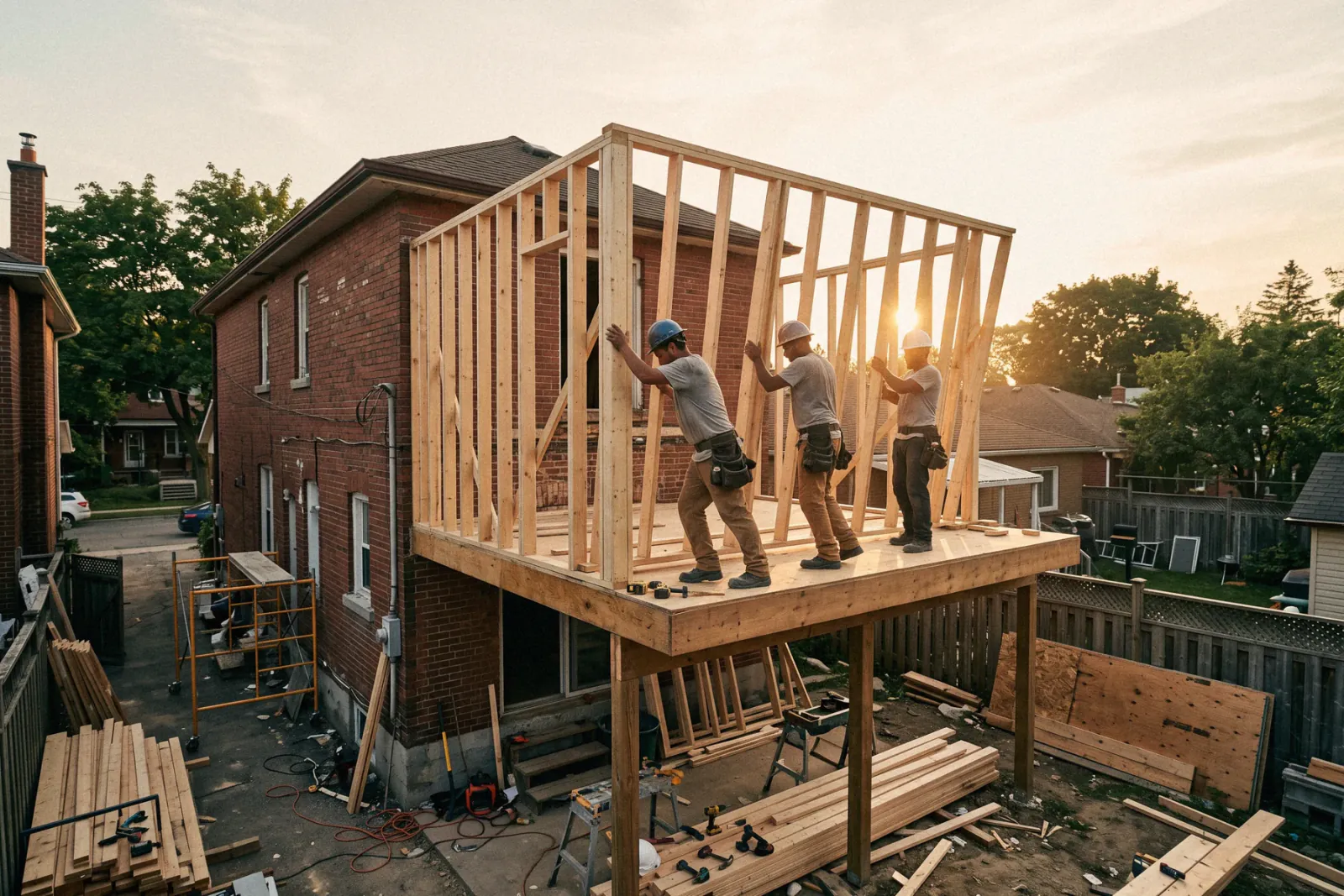
What home additions contractors need from software
Home addition builders need a detailed bid, a contract and deposit, plans, permits, and inspections tracked across a build that runs months, change orders priced before the work happens, and draws billed on schedule. Revcore Pro keeps all of that on one job file, with a homeowner portal for approvals, a crew board for sequencing, and milestone or percentage complete billing. It does not do job costing or Gantt dependencies.
Where home additions jobs get stuck.
The same few things cost home additions crews time and money on every job. This is what Revcore takes off your plate.
- 01
Big bids that take days
Build a detailed, tiered proposal from templates instead of starting from scratch.
- 02
Change orders that erode margin
Price and sign off on changes in the field before the work begins.
- 03
Long timelines, slow draws
Bill by milestone so cash flows steadily through a multi-month build.
How a home additions job runs in Revcore.
From the first call to the final payment, every step happens on the same job record, so nobody retypes anything and nothing waits on the office.





Home Additions job, example
Qualify the addition early
1/7




A survey on your web form asks about the type of addition, lot and setback concerns, budget range, and whether plans exist yet. Every lead lands on the pipeline with its source tagged, and two-way texting lets you reply in seconds.
SurveysUsing the plans and your own takeoff, price foundation, framing, roofing tie-in, windows, mechanicals, insulation, drywall, and finish from saved assemblies. Offer tiers such as a shell, a finished room, and a primary suite, each with a margin check.
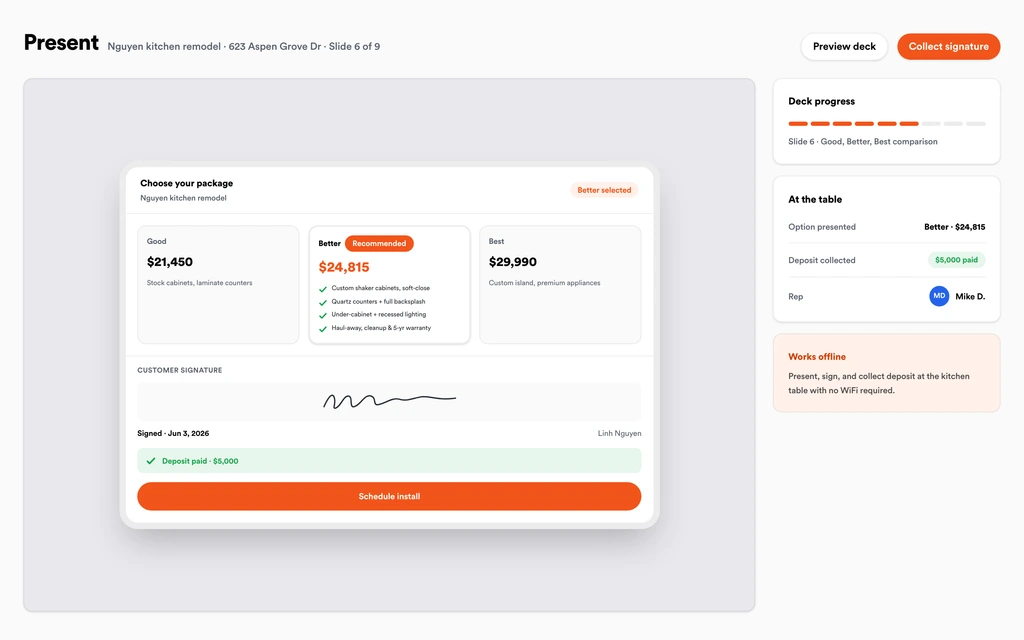
EstimatesWalk the homeowners through the in-home presentation with photos of past additions and the options side by side. They e-sign the contract and pay the deposit at the table, and the bid becomes the job without retyping.
Sales presentationsDrawings, the building permit, engineering letters, surveys, and the signed contract sit on the job file. Superintendents and foremen get role-based access, and footing, framing, and final inspections are logged with photos as they pass.
Job tracking and photosSchedule excavation, foundation, framing, roofing, rough-ins, insulation, drywall, and finish in order. When a footing inspection or a truss delivery slips, drag the next phases and the homeowner gets a text about the new date.
SchedulingWhen the homeowner wants a bigger window or a vaulted ceiling, price the change and send it through the homeowner portal. They approve and sign from their phone, and the change order rolls onto the next draw.
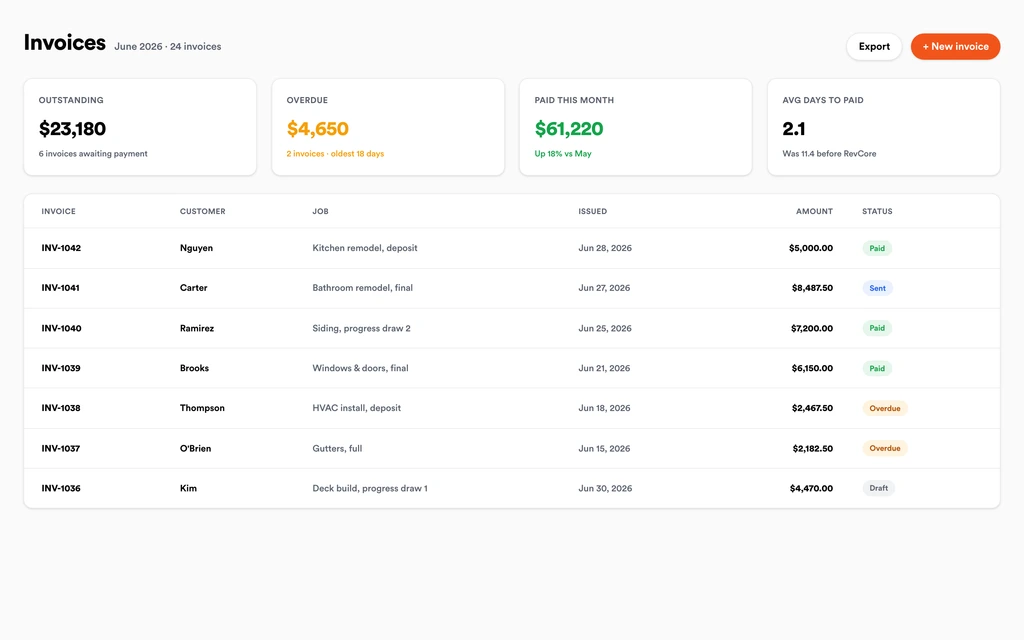
Homeowner portalBill the deposit, foundation, dried-in, drywall, and final as milestones, or by percentage complete. Invoices include approved change orders, reminders chase open draws, and payouts land in 1 to 2 business days, or instantly for eligible accounts. Store the warranty and closeout documents on the job file for the homeowner.
InvoicingSet up for the way home additions jobs run.
Project pipeline
Track the build from bid to punch list with stages that fit your process.
Document control
Plans, permits, and photos organized on the project for everyone.
Change orders
Capture, price, and approve scope changes on the spot.
Progress billing
Draw by milestone or percentage complete with fast payouts.
What to look for in home additions software.
Take this list to any demo or trial, ours included. If a tool cannot show you each of these on a real job, keep looking.
Detailed bids from assemblies
An addition bid covers foundation to finish. Saved assemblies keep estimates consistent and stop a tie-in or a mechanical line from being left off.
Plans and permits on the job
Engineering, drawings, and permits change during a build. The field crew should always see the current version from their phone.
Inspection tracking with photos
Footing, framing, and final inspections gate each phase. Photos of each rough-in before it is covered protect you if questions come up later.
Change orders before the work
Additions attract upgrades. Pricing and signing each change before the crew builds it is the difference between margin and a dispute.
Draw billing over months
Long builds need cash moving. Look for milestone and percentage complete billing that includes approved change orders automatically, with reminders on open draws.
A homeowner portal for a long build
Families live next to the construction for months. A portal with photos, a timeline, and documents keeps them informed and calmer.
An honest answer on job costing
Revcore does not track costs against cost codes or build Gantt dependencies. If you rely on those, keep a construction platform alongside it.
The whole platform comes standard.
Quoting is the start. Every home additions account runs the full job, from the first lead to the final payment, in one login.
- CRM and pipelineEvery lead and job on one board
- Estimates and proposalsGood, Better, Best, signed on the spot
- Scheduling and dispatchCrews on one shared calendar
- CommunicationsTexts, calls, and email in one thread
- Invoicing and paymentsDeposits and finals, paid online
- Service agreementsRecurring work, tracked
- AutomationsFollow-ups that send themselves
- ReportingRevenue and close rate at a glance
Comparing home additions software?
Honest side-by-sides with the tools home additions crews weigh most. Every plan is one flat price with crew seats included. See pricing.
- Revcore vs BuildertrendConstruction platform with Gantt and job costing. Revcore centers on selling, the portal, and draws.
- Revcore vs Contractor ForemanLow cost construction management. Revcore adds the in-home presentation and the deposit collected at signing.
- Revcore vs Improveit 360Remodeling sales CRM. Revcore carries the signed addition through production and billing.
- Revcore vs LeapIn-home sales and proposals. Revcore keeps the close, the build, and the draws in one login.
- All comparisons →
“Tiered proposals changed how we sell remodels. Most homeowners pick the middle option on their own, and our average job climbed.”

Composite operator based on early-access usage. Outcomes are illustrative; individual results vary.






Home Additions questions, answered.
Still deciding if Revcore fits your crew? Talk to our team.
What is the best software for home addition contractors?
It depends on how you run production. Builders who sell to homeowners need detailed bids, permits, change orders, scheduling, and draw billing together, and Revcore Pro covers that on one job file with a homeowner portal. Buildertrend is common with builders who want Gantt schedules and job costing, and Contractor Foreman is a lower cost construction option.
How do I bid a home addition?
Break the addition into assemblies for foundation, framing, roofing tie-in, windows and doors, mechanicals, insulation, drywall, and finish, using quantities from the plans and your own takeoff. Revcore starts rates from your zip code and you adjust them to your subs' numbers. Tiers let the homeowner compare scope levels. Saved assemblies keep bids consistent between estimators.
Can Revcore do takeoffs from addition plans?
No. Revcore does not read plans or create automatic takeoffs. You or your estimator take quantities from the drawings and enter them on the estimate, and saved assemblies turn those quantities into a priced bid quickly. Your estimator's quantities stay on the job for reference.
How do I set up a draw schedule for an addition?
Set the deposit on the estimate, then bill milestones like foundation, dried-in, drywall, and final, or bill by percentage complete. Each draw pulls from the job with approved change orders included, and automatic reminders follow up on anything unpaid. Payouts land in 1 to 2 business days, or instantly for eligible accounts.
How do I keep homeowners informed during a months-long build?
Post progress photos, inspection results, and documents to the branded homeowner portal, which needs no app or account. Automated texts confirm schedule changes, and homeowners can submit change requests through the portal instead of stopping your crew on site. You price each request and send it back for approval.
Can I track inspections on an addition?
Yes. Log each inspection on the job with photos of the work before it gets covered, and store the permit and inspection results as documents. Revcore does not file permits or schedule inspections with the building department. Inspection dates can still go on the crew board.
Can homeowners pay for an addition over time?
You can show monthly payment math in the in-home presentation. Built-in homeowner financing is on the roadmap, so keep using your current lender or the homeowner's bank for the loan today. Draws can be paid by card or ACH.
Does it work on my phone in the field?
Yes. Revcore runs on the web, iOS, and Android, so home additions crews can open the job, add photos, take a signature, and collect payment from the site.
How fast can we switch over?
Most crews are live within a week. Paid plans include hands-on onboarding: we import your customers and pricing, set up your proposal templates, and add your team, then check in until it sticks.
What does Revcore Pro cost for home additions?
Plans start at $249/mo billed monthly ($207/mo on annual billing, 2 months free) with crew seats included, plus CRM, estimating, scheduling, and invoicing. Every plan includes a 14-day free trial with no credit card required.







