Give every customer a portal that does the talking.
The homeowner gets one private link with your name on it. They follow the project phase by phase, see the photos, read the documents, pay, and sign off, and the where-are-we calls stop.
14-day free trial, no credit card required.

The extra work, approved from their phone.
When the crew finds something, the change order lands in the homeowner's portal. They read why, sign with a finger, and it is approved before the crew needs an answer.
← Changes
Chimney cricket
Needs your reviewThe crew found the chimney traps water on the high side. A cricket sends it around the chimney instead of into the flashing.
Your signature
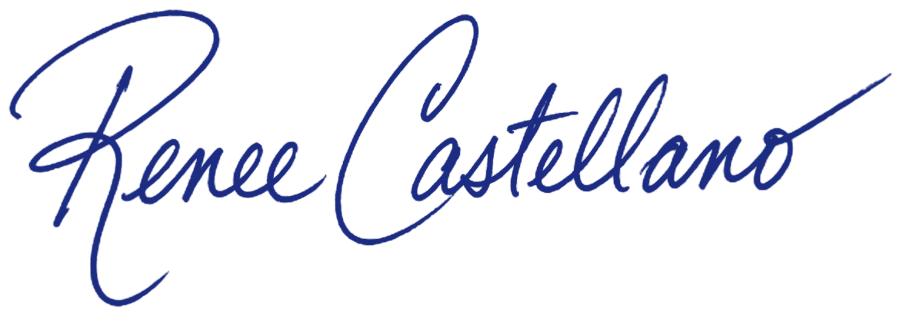
Renee Castellano
Decline this change

How the homeowner portal works in Revcore
Let them pay without picking up the phone.
Every deposit and draw receipted automatically
Try it freeEvery document, where they can find it.
Contract, permit, specs, and warranty together
Try it freeClose out clean and ask for the review.
A signed record that the job was accepted
Try it freeWhat your customers get in the portal.
- Phase timeline
- Live dates
- Progress photos
- Before, during, after
- Shared documents
- Online payments
- Payment history
- Change requests
- Messaging
- Completion sign-off
- Final summary
- Your branding
Works with the rest of Revcore
Job tracking
The job file behind the portal, with photos, crew, and materials.
Payments
Collect deposits and draws by card or ACH.
Invoicing
Approved change orders roll straight onto the bill.
Scheduling
The dates the homeowner sees come from the schedule.
Automations
Send the review request when the homeowner signs off.
Communications
Two-way texting with the homeowner, logged on the job.
How it compares
What is a homeowner portal?
A homeowner portal is a private web page where a contractor's customer can follow their project without calling the office: what phase it is in, what is next, the photos, the documents, and what they owe. Revcore gives every job a portal link that opens in the homeowner's browser, with no app or password, and fills itself from the job your crew is already updating.
The portal is not a separate tool you have to keep current. Photos the crew takes on the job, dates the office changes on the schedule, and invoices you send all show up there automatically, and the homeowner can pay, request a change, and sign off on completion from the same page.
The result is fewer where-are-we calls, change requests in writing instead of in passing, and a clean record that the homeowner accepted the work.
Which plan includes it
The homeowner portal is included on every plan. Scale makes it white-label.
Starter and Pro include the portal with the project timeline, photos, documents, and online payments. Change requests and change orders are on Pro and Scale. Scale adds a white-label client portal, so the experience carries your brand instead of Revcore's.
Compare plans on the pricing pageHomeowner portal questions.
Still deciding if Revcore fits your crew? Talk to our team.
Do homeowners need an account or app?
No. The portal opens from a private link in their browser, so there is nothing to download and no password to reset. It works on any phone or computer.
Is the portal branded to my company?
The portal shows your company to the homeowner on every plan. On Scale, the client portal is fully white-label, so it reads as your portal rather than a third-party tool, from the timeline to the payment checkout.
Can homeowners pay from the portal?
Yes. They see the balance due and can pay by card or bank transfer right there, with deposits, progress draws, and receipts handled automatically. Card is standard 2.9% + 30¢ card processing plus a 0.75% platform fee, and ACH is 0.8% (capped at $5) plus the 0.75% platform fee.
How do change requests work?
A homeowner submits a request from the portal, you price it and send it back for approval, and once they e-sign it rolls into the invoice as a change order, so extra scope never goes unbilled. Change requests are on Pro and Scale.
What do homeowners see on the timeline?
A phase-by-phase view of the project, from design review through delivered, with status and dates plus the photos and updates you add along the way.
Do I have to update the portal separately?
No. The portal reads from the job. Photos the crew takes, dates the office changes, documents you attach, and invoices you send appear there automatically.
Does the portal help with reviews?
When the homeowner signs off on completion, a review request can go out right after, while the finished job is fresh. The request is an automation you can edit or switch off.
Which plan includes the homeowner portal?
Every plan. Starter and Pro include the portal with timeline, photos, documents, and payments. Change requests are on Pro and Scale, and Scale adds a white-label client portal.







