From measure to install, nothing falls through.
Window jobs hinge on exact openings and tight ordering. Revcore keeps measurements, orders, and install dates connected so the right glass shows up on the right day.
14-day free trial, no credit card required.
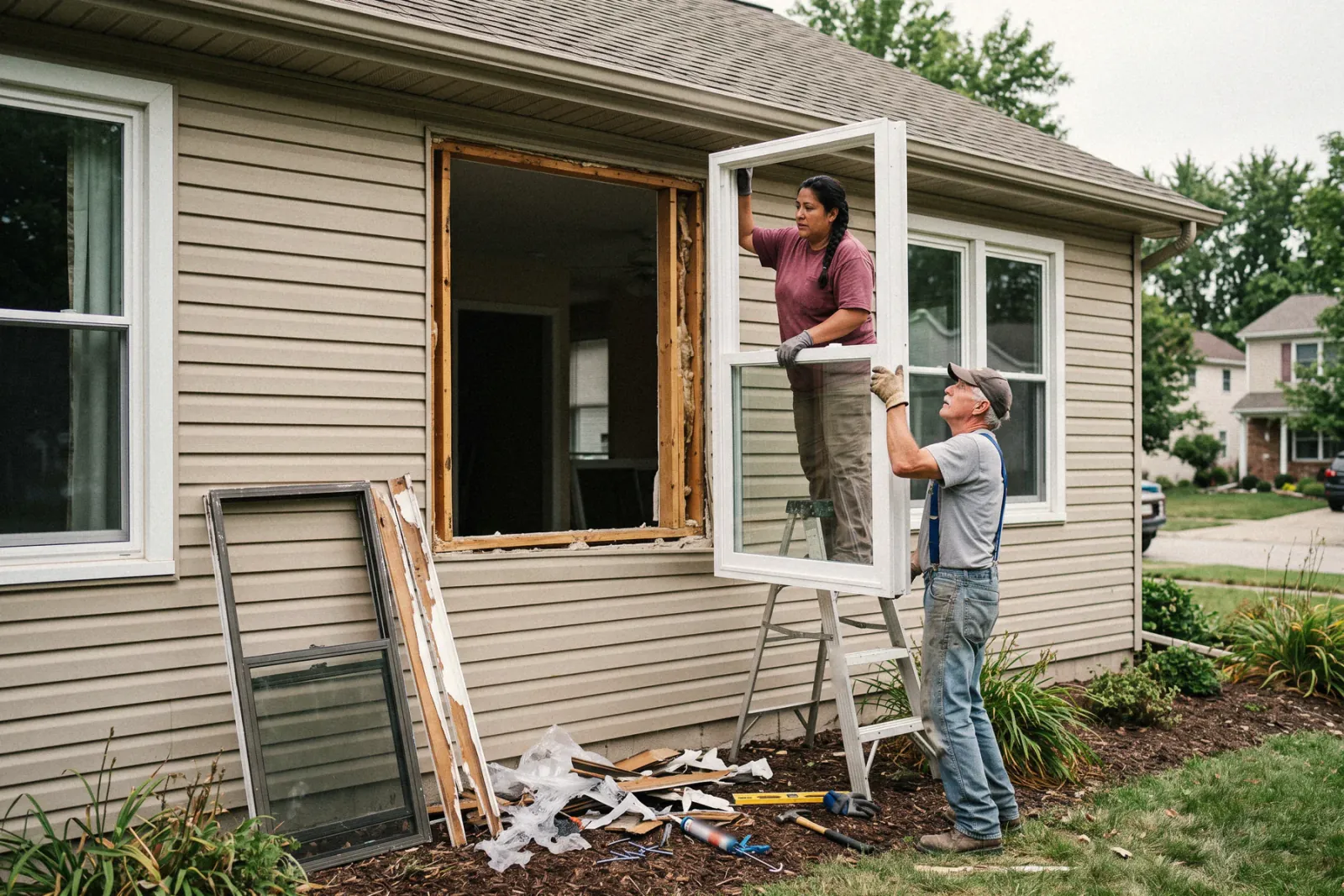
What windows contractors need from software
Window companies need software that records every opening once, keeps frame, glass, and grid choices tied to the signed contract, and schedules the install against a factory lead time that can run weeks. Revcore Pro handles the appointment, the window by window estimate, the in-home close with a deposit, the install schedule, and the final payment in one login. It does not place orders with manufacturers, so the order goes out from your supplier portal using the specs on the job.
Where windows jobs get stuck.
The same few things cost windows crews time and money on every job. This is what Revcore takes off your plate.
- 01
Measurements that get retyped three times
Record opening sizes once on site and reuse them across the quote and the order.
- 02
Orders that arrive wrong
Tie product specs to the job file so what you quote is what you order.
- 03
Install dates that slip
Schedule crews against delivery dates and keep homeowners updated automatically.
How a windows job runs in Revcore.
From the first call to the final payment, every step happens on the same job record, so nobody retypes anything and nothing waits on the office.






Windows job, example
Set the sales appointment
1/7





Web form leads land on the pipeline, and two-way texting lets you reply in seconds. Tag every lead source, from the home show to the mailer, so you can see which ones turned into signed window contracts.
CRM and pipelinePhotograph each window, note the room, the style, and the condition of the frame and sill, and record the rough opening sizes you measured. Custom fields hold what your shop tracks, like tempered glass required or a pre-1978 home.
Custom fieldsBuild the quote window by window from saved line items for each series, then add trim, capping, and disposal. Good, Better, Best packages can separate a builder grade line from a triple pane line, and each tier shows its margin before you present.
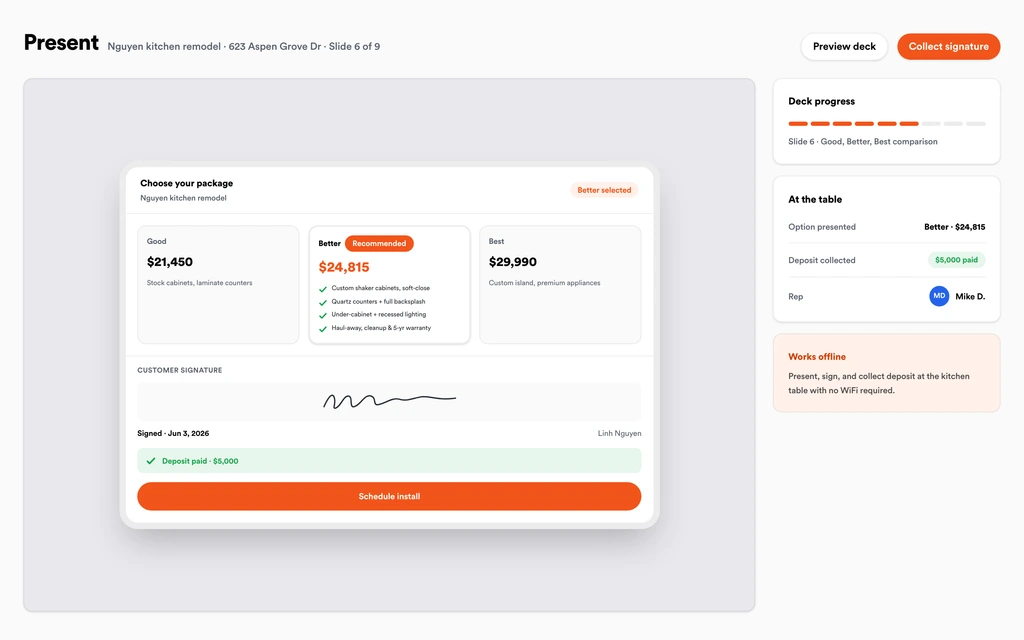
EstimatesWalk the homeowner through the in-home presentation with the packages and monthly payment math on screen. When they choose, they sign and pay the deposit in the same step, and the signed specs stay on the job for ordering.
Sales presentationsSend the measure tech to verify each opening, update the specs on the job, and place the order with your manufacturer from those exact notes. The homeowner sees the order status and expected timeline in their portal instead of calling the office.
Homeowner portalOnce the delivery date is set, put the install on the crew board and let automations text the homeowner a reminder before install day. Installers see the next stop with directions on their phone and clock in from the site with GPS.
SchedulingShoot every finished opening, store the manufacturer warranty and product labels on the job, and invoice the balance. The homeowner pays by card or ACH from a text link, and payouts land in 1 to 2 business days, or instantly for eligible accounts.
PaymentsSet up for the way windows jobs run.
On-site estimates
Build a window-by-window quote from the truck and convert it to a job instantly.
Product spec tracking
Frame, glass, and grid choices stored on the job so orders go out clean.
Scheduling and reminders
Coordinate measure, delivery, and install with automatic homeowner updates.
Tiered window packages
Good, Better, Best packages by window line, with monthly payment math shown at the table.
What to look for in windows software.
Take this list to any demo or trial, ours included. If a tool cannot show you each of these on a real job, keep looking.
Opening level detail on the job
Every window has its own size, style, glass, and grid. Look for a job file that holds that detail per opening so the order matches the contract.
Specs that carry from quote to order
Retyping specs between the estimate and the manufacturer order is where mistakes happen. The signed estimate should become the job without re-entering a single line.
An in-home presentation with tiers
Window sales are usually one visit. You need a presentation that shows each series clearly, runs on your device, and takes the signature and deposit at the table.
Scheduling around factory lead times
Installs wait on deliveries that can shift. The crew board should make rescheduling a drag and keep the homeowner informed by text without a call from the office.
Homeowner updates during the wait
The weeks between signing and install are when buyers get nervous. A portal with the timeline and documents answers the where are my windows question for you.
Deposit and balance billing
Most window contracts take a deposit at signing and the balance at install. Invoicing should handle both, with the deposit already credited on the final.
Rep level reporting
When several reps run appointments, you need to see close rate by rep and revenue by lead source, not just a total at the end of the month.
The whole platform comes standard.
Quoting is the start. Every windows account runs the full job, from the first lead to the final payment, in one login.
- CRM and pipelineEvery lead and job on one board
- Estimates and proposalsGood, Better, Best, signed on the spot
- Scheduling and dispatchCrews on one shared calendar
- CommunicationsTexts, calls, and email in one thread
- Invoicing and paymentsDeposits and finals, paid online
- Service agreementsRecurring work, tracked
- AutomationsFollow-ups that send themselves
- ReportingRevenue and close rate at a glance
Windows software, by category
Looking for one piece? Each page shows how that part works for windows crews.
Comparing windows software?
Honest side-by-sides with the tools windows crews weigh most. Every plan is one flat price with crew seats included. See pricing.
- Revcore vs Improveit 360Home improvement CRM for larger sales teams. Revcore is flat priced with the presentation built in.
- Revcore vs LeapIn-home sales platform for exterior remodelers. Revcore adds install scheduling and payments.
- Revcore vs IngageSales presentation software. Revcore connects the presentation to the estimate and the job.
- Revcore vs JobberField service app for quoting and scheduling. Revcore adds the kitchen-table close for window sales.
- All comparisons →
“We quote right on the property and the homeowner has real options before we pack up. Deposits clear before we leave the driveway.”

Composite operator based on early-access usage. Outcomes are illustrative; individual results vary.






Windows questions, answered.
Still deciding if Revcore fits your crew? Talk to our team.
What is the best software for window replacement companies?
It depends on your sales model. Companies that sell in the home need appointment setting, opening by opening estimates, a tiered presentation, deposit collection, and install scheduling. Revcore Pro covers that full job in one login with seats included. ImproveIt360 and LEAP are common with larger in-home sales teams, and Jobber is often used by smaller installers who mostly quote and schedule.
Can Revcore order windows from my manufacturer?
No. Revcore does not connect to supplier or manufacturer ordering systems. The signed specs, sizes, and notes stay on the job file, and your office places the order in the manufacturer's portal from that record, so nothing is retyped from memory.
How do I track size, glass, and grid choices for each window?
Record each opening on the estimate as its own line with the series, size, glass package, and grid pattern, and add custom fields for anything your shop tracks. When the estimate is approved it becomes the job, so the crew and the office see the same specs.
Can I present window packages at the kitchen table?
Yes. Build Good, Better, Best packages from your window series and run them in the built-in in-home presentation. You can show monthly payment math beside each package, and the homeowner signs and pays the deposit before you leave. The presentation runs on your device, so a weak signal in the living room matters less, and the signed packages become the job.
How do I keep homeowners informed while windows are on order?
Give them the homeowner portal link. They can see the timeline, their signed contract, and progress photos without an app or account, and automations can text them when the install is scheduled and again the day before. That cuts down on the where are my windows calls that eat the office's afternoon during a long factory lead time.
Can Revcore help with lead-safe work on older homes?
Revcore does not handle certification or compliance filing. You can flag pre-1978 homes with a custom field, attach your lead-safe forms and photos to the job, and make sure the crew sees that note before they pull the first sash.
Is homeowner financing built into Revcore for window projects?
Not yet. Built-in homeowner financing is on the roadmap. Today you can show monthly payment math in the presentation and keep using your current lender for applications. The deposit and signature still happen in the same step, so the contract is locked while the loan is processed.
Does it work on my phone in the field?
Yes. Revcore runs on the web, iOS, and Android, so windows crews can open the job, add photos, take a signature, and collect payment from the site.
How fast can we switch over?
Most crews are live within a week. Paid plans include hands-on onboarding: we import your customers and pricing, set up your proposal templates, and add your team, then check in until it sticks.
What does Revcore Pro cost for windows?
Plans start at $249/mo billed monthly ($207/mo on annual billing, 2 months free) with crew seats included, plus CRM, estimating, scheduling, and invoicing. Every plan includes a 14-day free trial with no credit card required.







