From concept to install, beautifully organized.
Design work juggles selections, vendors, and client approvals across every room. Revcore keeps proposals, selections, and billing in one place so the creative work stays the focus.
14-day free trial, no credit card required.

What interior design contractors need from software
Interior designers need to present concepts clients can approve quickly, track every selection by room with its source and price, keep clients updated through installation, and bill design fees and furnishings separately. Revcore Pro covers the client side with proposals clients approve from their phone, custom fields for selections, a branded client portal, and flexible invoicing with fast payouts (1 to 2 business days, or instant for eligible accounts). It does not handle purchase orders or vendor ordering, so product-heavy firms often keep a design-specific platform.
Where interior design jobs get stuck.
The same few things cost interior design crews time and money on every job. This is what Revcore takes off your plate.
- 01
Selections spread across spreadsheets
Track every item, vendor, and price per room on one project file.
- 02
Client approvals that drag
Send concept proposals clients approve from their phone in a tap.
- 03
Billing design time and goods
Invoice design fees and product separately without the manual math.
How a interior design job runs in Revcore.
From the first call to the final payment, every step happens on the same job record, so nobody retypes anything and nothing waits on the office.





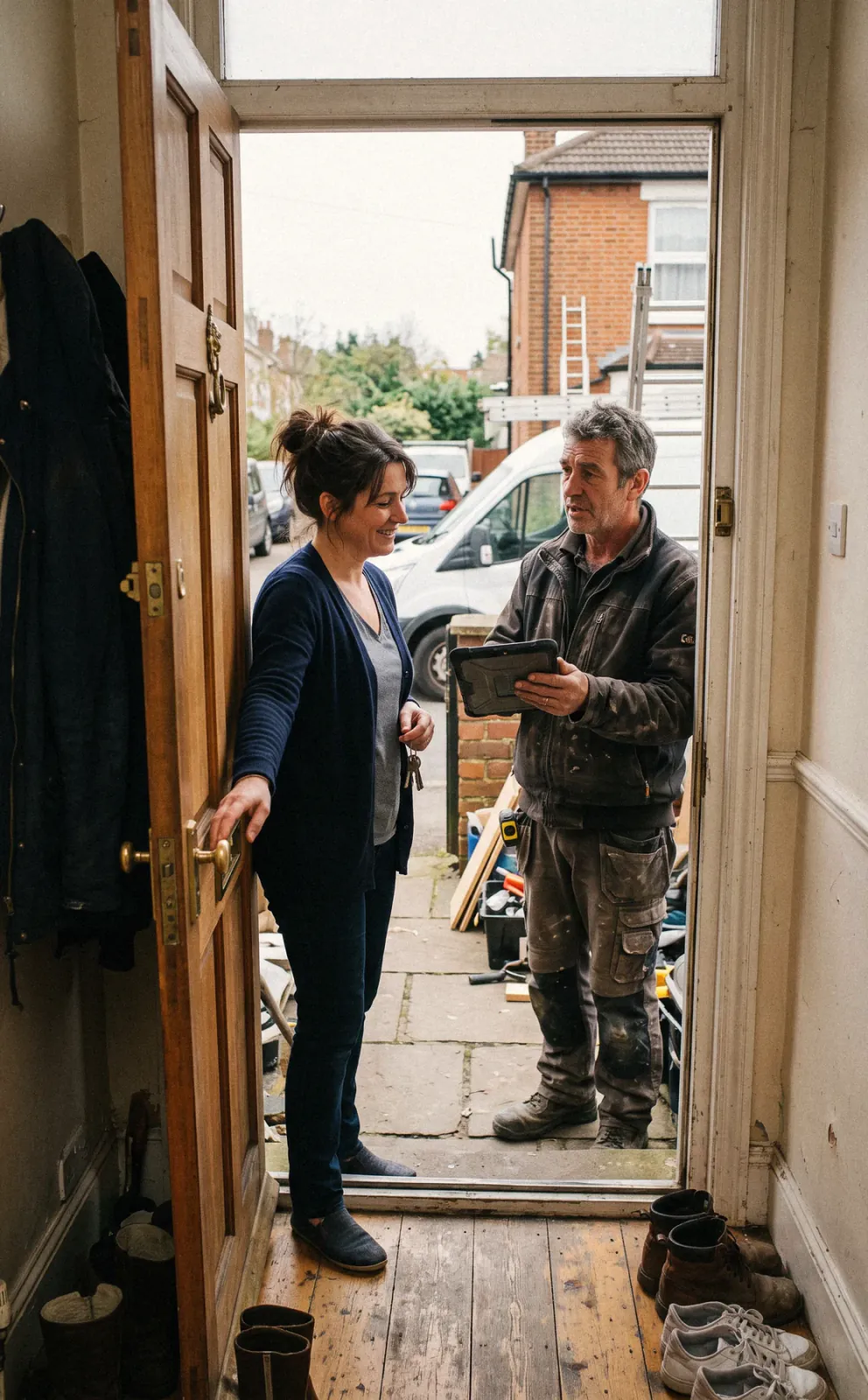
Interior Design job, example
Qualify the inquiry
1/7




Inquiries from your site land on the pipeline, and a qualification survey asks about rooms, style, timeline, and investment range. You know whether it is a single room refresh or a whole home project before you book the discovery call.
SurveysOnce the inquiry qualifies, your team books the consult on the Revcore calendar and texts the client a confirmation, so there is no email back and forth. The consult syncs to Google Calendar, and an automated reminder text goes out the day before.
SchedulingSend your design proposal with the scope, fee structure, and agreement to the client's phone. They e-sign and pay the retainer in the same step, and the project opens with the agreement stored on the file.
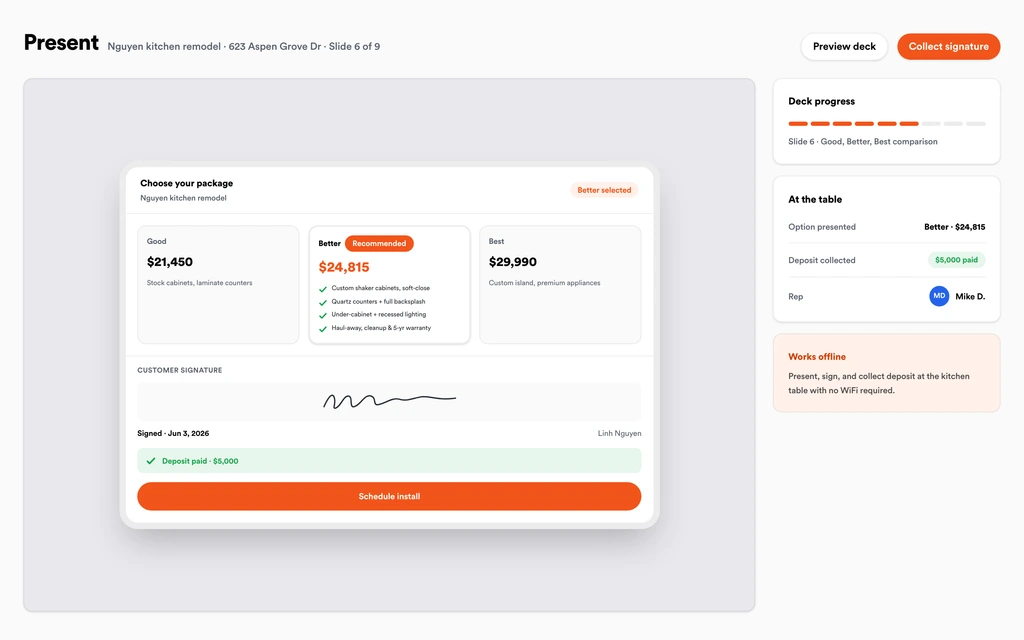
EstimatesShow two or three looks per room as options in the presentation, with photos of past projects and the furnishings package priced on each. The client picks a direction, and the approved option carries forward without retyping.
Sales presentationsLog each piece by room with vendor, finish, dimensions, and price in custom fields on the project. Store spec sheets and lead times as documents on the file so your team is working from one list.
Custom fieldsThe branded client portal shows the timeline, progress photos, and documents, with no app or account to set up. When the client wants a different sofa, they submit a change request, you price it, and the approval rolls onto the invoice.
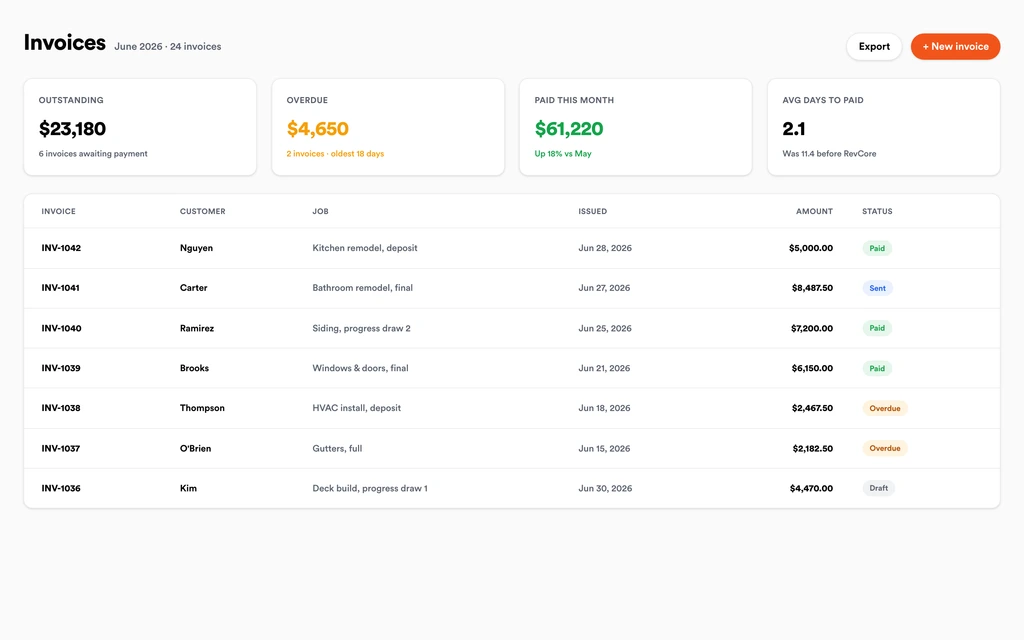
Homeowner portalInvoice design fees, furnishings, and install as separate line items or milestones from the project. Clients pay by card or ACH from a link, reminders go out on their own, and payouts land in 1 to 2 business days, or instantly for eligible accounts.
InvoicingSet up for the way interior design jobs run.
Concept proposals
Present looks and packages clients compare and approve at home.
Selection and vendor tracking
Every item, source, and price tied to the room it belongs in.
Client portal
One link where clients approve, comment, and pay.
Flexible billing
Bill flat fees, hourly design time, and goods with fast payouts.
What to look for in interior design software.
Take this list to any demo or trial, ours included. If a tool cannot show you each of these on a real job, keep looking.
Proposals clients approve on a phone
Design approvals stall when clients have to print and sign. Look for proposals with e-signature and retainer payment in one step.
Selections by room
Every piece needs a room, a source, a finish, and a price. Keep them on the project instead of a spreadsheet only one person updates.
A branded client portal
Clients want to see progress and documents without emailing you. A portal with your branding keeps the experience consistent with your studio.
Separate billing for fees and goods
Design fees and furnishings are billed differently. Invoices should separate them clearly so clients understand what they are paying for.
Change requests with approval
Swapped pieces and added rooms change the budget. Pricing and approving each change keeps scope creep from eating your fee.
Know where purchasing lives
Revcore does not issue purchase orders or track vendor shipments. Product-heavy firms often keep a design-specific platform for procurement alongside it.
Automated follow-up
Inquiries go cold quickly. Automated texts and emails after the first contact keep your studio in front of the client until the consult.
The whole platform comes standard.
Quoting is the start. Every interior design account runs the full job, from the first lead to the final payment, in one login.
- CRM and pipelineEvery lead and job on one board
- Estimates and proposalsGood, Better, Best, signed on the spot
- Scheduling and dispatchCrews on one shared calendar
- CommunicationsTexts, calls, and email in one thread
- Invoicing and paymentsDeposits and finals, paid online
- Service agreementsRecurring work, tracked
- AutomationsFollow-ups that send themselves
- ReportingRevenue and close rate at a glance
Comparing interior design software?
Honest side-by-sides with the tools interior design crews weigh most. Every plan is one flat price with crew seats included. See pricing.
- Revcore vs HubSpotGeneral CRM and marketing tool. Revcore adds proposals, a client portal, and payments.
- Revcore vs BuildertrendDesign-build construction platform. Revcore is lighter, with the sale and billing in one login.
- Revcore vs IngageVisual sales presentations. Revcore builds the presentation into the CRM and billing.
- All comparisons →
“Tiered proposals changed how we sell remodels. Most homeowners pick the middle option on their own, and our average job climbed.”

Composite operator based on early-access usage. Outcomes are illustrative; individual results vary.





Interior Design questions, answered.
Still deciding if Revcore fits your crew? Talk to our team.
What is the best software for interior designers?
It depends on how much product you buy for clients. Studios that sell a lot of furnishings often use a design-specific platform like Houzz Pro, Studio Designer, or Programa for sourcing and purchase orders. Designers who mainly need proposals, client approvals, a portal, and billing can run that in Revcore Pro, which also suits design-build firms that remodel.
Can I bill design fees and furnishings separately?
Yes. Put design fees, furnishings, and installation on separate line items or bill them as separate milestones. Clients pay each invoice by card or ACH from a link, and Margin Protection can fold the card fee into the proposal if you prefer not to absorb it.
Does Revcore handle purchase orders to vendors?
No. Revcore does not create purchase orders, place vendor orders, or track shipments. You can log each piece's vendor, price, and lead time in custom fields and store spec sheets on the project, but procurement happens with your vendors directly.
How do clients approve design concepts?
Send the concept options as a proposal to the client's phone or walk them through the presentation in person. They choose an option and e-sign, and later changes come in as change requests through the client portal, which you price and send back for approval. Every approval is logged on the project.
Can I track selections for each room?
Yes. Create custom fields on the project for room, item, vendor, finish, dimensions, and price, and attach spec sheets as documents. Everyone on your team works from the same list, and the client sees approved items in the portal. Reminders chase anything left unpaid.
Can I collect a design retainer at signing?
Yes. Set the retainer on the proposal and the client pays it in the same step as the e-signature. The project opens with the signed agreement on file, and later fees and product can be billed as milestones. Reminders go out automatically on anything unpaid.
Does Revcore work for design-build firms?
Yes, and that is where it fits most naturally. Design-build firms can sell the design, then run construction on the same project with crew scheduling, change orders, progress billing, and the client portal, instead of handing off to a separate construction tool.
Does it work on my phone in the field?
Yes. Revcore runs on the web, iOS, and Android, so interior design crews can open the job, add photos, take a signature, and collect payment from the site.
How fast can we switch over?
Most crews are live within a week. Paid plans include hands-on onboarding: we import your customers and pricing, set up your proposal templates, and add your team, then check in until it sticks.
What does Revcore Pro cost for interior design?
Plans start at $249/mo billed monthly ($207/mo on annual billing, 2 months free) with crew seats included, plus CRM, estimating, scheduling, and invoicing. Every plan includes a 14-day free trial with no credit card required.







