Quote the removal, book the crew, collect on site.
Tree work is high-risk, high-value, and often urgent. Revcore helps you quote the job, schedule the crew, and collect payment so the office runs as smooth as the saws.
14-day free trial, no credit card required.
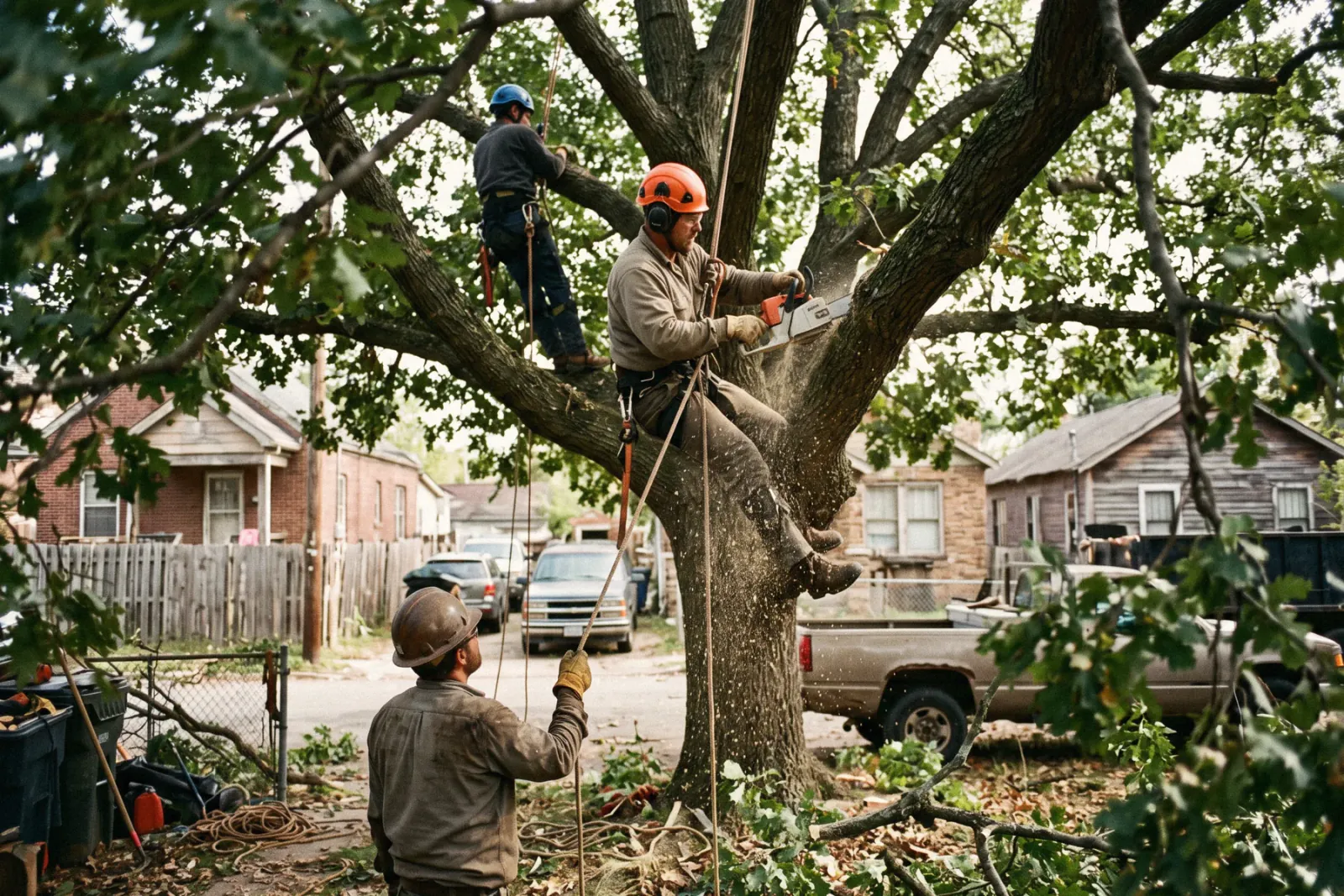
What tree services contractors need from software
Tree service companies need to quote removals and trims on site with photos that justify the price, respond to storm calls fast, dispatch a crew quickly, and collect when the cleanup is done. Revcore Pro handles that with photo-backed estimates, two-way texting, a crew board, GPS clock-in, and text-to-pay in the field with fast payouts (1 to 2 business days, or instant for eligible accounts).
Where tree services jobs get stuck.
The same few things cost tree services crews time and money on every job. This is what Revcore takes off your plate.
- 01
Quoting risky removals fast
Build a clear estimate on site with photos that justify the price.
- 02
Emergency storm calls
Capture leads instantly and put crews on the day's jobs from the crew board.
- 03
Payment after the cleanup
Collect on completion with card or ACH before the crew leaves.
How a tree services job runs in Revcore.
From the first call to the final payment, every step happens on the same job record, so nobody retypes anything and nothing waits on the office.




Tree Services job, example
Catch the call, even from the canopy
1/7





Web forms land on the pipeline, and two-way texting lets the office reply while the climber is up in the tree. Storm calls can be tagged so emergency work jumps the line.
CommunicationsPhotograph the tree, the lean, deadwood, nearby lines, structures, and the access path for the chipper or bucket truck. Mark up photos to show which limbs come off and where the drop zone sits, so the crew knows the plan before they arrive.
Job tracking and photosSaved line items price removal, crown reduction, deadwooding, stump grinding, and haul-away by tree or by the hour. Offer trim only, removal, and removal with stump grinding and cleanup as tiers the customer picks from their phone.
EstimatesDrag an emergency removal onto an open crew on the crew board, and it lands on their phone with directions to the stop. The customer gets an automatic appointment confirmation by text, and crews clock in with GPS when they arrive.
Field and dispatchBook removal and stump grinding days on the crew board, and drag them when wind or rain shuts the job down. Crews clock in from the site with GPS so hours tie to each job.
SchedulingShoot the before and after, the raked yard, and the ground stump before the truck pulls out. Photos stay on the job for the customer and, on storm damage, for the homeowner's insurance claim, and they can pull them from the portal.
Job tracking and photosInvoice from the job with any added trees or stumps already on it, then charge the card on file or send a text-to-pay link. Payouts land in 1 to 2 business days, or instantly for eligible accounts, and a review request can go out once the invoice is paid.
PaymentsSet up for the way tree services jobs run.
On-site estimates
Quote removals, trims, and stump grinding with photos on the job.
Crew scheduling
Assign jobs by area and confirm crews with GPS clock-in.
Photo documentation
Before and after shots tied to the customer for the record.
Field payments
Charge the card on file or text a pay link the moment the cleanup is done.
What to look for in tree services software.
Take this list to any demo or trial, ours included. If a tool cannot show you each of these on a real job, keep looking.
Photo-backed estimates
Removals are priced on risk and access. Photos with markup on the quote help the customer understand why the price is what it is.
Fast lead response
Tree customers call several companies, especially after storms. Replying fast by text keeps you in front of them.
Fast dispatch
Emergency work goes to whoever can get there first. Look for quick assignment and a job map that shows where the day's jobs sit.
Tiered options for trim, removal, and stump
Customers often do not know if they want the stump ground. Tiers turn the upsell into a simple choice on the estimate.
Weather-flexible scheduling
Wind and rain cancel climbs. Rescheduling should take a drag, and the customer should get a text about the new date automatically.
Payment before the truck leaves
Text-to-pay links sent on site keep cash from lagging behind the work, especially on one-time removals you will not see again.
Recurring plans for commercial properties
HOAs and commercial sites want scheduled pruning. Look for maintenance plans that bill on a set cadence with visits on the calendar.
The whole platform comes standard.
Quoting is the start. Every tree services account runs the full job, from the first lead to the final payment, in one login.
- CRM and pipelineEvery lead and job on one board
- Estimates and proposalsGood, Better, Best, signed on the spot
- Scheduling and dispatchCrews on one shared calendar
- CommunicationsTexts, calls, and email in one thread
- Invoicing and paymentsDeposits and finals, paid online
- Service agreementsRecurring work, tracked
- AutomationsFollow-ups that send themselves
- ReportingRevenue and close rate at a glance
Comparing tree services software?
Honest side-by-sides with the tools tree services crews weigh most. Every plan is one flat price with crew seats included. See pricing.
- Revcore vs JobberCommon with smaller tree crews. Revcore adds tiered estimates and crew seats included in a flat plan.
- Revcore vs Housecall ProHome service scheduling and payments. Revcore includes crew seats in a flat plan price.
- Revcore vs WorkizField service with call tools. Revcore adds tiered proposals and service agreements.
- Revcore vs VonigoScheduling for franchise service businesses. Revcore adds tiered estimates and a homeowner portal.
- All comparisons →
“Photos, scheduling, and payments live in one login. My crews update the office without a single end-of-day phone call.”

Composite operator based on early-access usage. Outcomes are illustrative; individual results vary.






Tree Services questions, answered.
Still deciding if Revcore fits your crew? Talk to our team.
What is the best software for tree service companies?
Tree services need on-site estimates with photos, fast storm response, crew dispatch, and payment on site. Revcore Pro covers those in one login with crew seats included. ArboStar and SingleOps are built specifically for tree care, and Jobber is a common general option for smaller tree crews.
Can Revcore handle emergency storm calls?
Yes. Two-way texting lets you reply to storm leads in seconds, they can be tagged and moved up the pipeline, and you can assign the job to an open crew. The customer gets an automatic appointment confirmation by text, and the photos from the job are ready if they file an insurance claim.
How do I price tree removals in Revcore?
Set up saved line items for removals by size or difficulty, trims, stump grinding, and haul-away, or price by crew hour. Attach marked-up photos to the estimate, and offer tiers so the customer can add stump grinding and cleanup. The margin check shows whether each option holds up.
Can I keep photos for insurance claims on storm damage?
Yes. Before and after photos with markup, notes, and the invoice stay on the job file. Homeowners can see and download documents from the portal to send to their insurance company, without you emailing photos one at a time. Notes on the job record what was damaged.
Does Revcore track tree inventories or plant health care programs?
Revcore does not include a tree inventory or arborist mapping tool. You can log species, condition, and treatments on the job with custom fields, and set up plant health care visits as a maintenance plan with scheduled visits on the calendar.
Can I set up recurring pruning contracts?
Yes. Service agreements bill monthly, quarterly, semiannually, or annually, with scheduled visits on the calendar and the card on file charged each cycle. This works well for HOAs and commercial properties, and the recurring revenue view shows what is under contract.
Can crews collect payment on site?
Yes. Crews can charge the card on file or send a text-to-pay link once the cleanup is done. Card is 3.65% plus 30 cents (standard card processing plus a 0.75% platform fee), ACH is 0.8% (capped at $5) plus a 0.75% platform fee, and payouts land in 1 to 2 business days, or instantly for eligible accounts.
Does it work on my phone in the field?
Yes. Revcore runs on the web, iOS, and Android, so tree services crews can open the job, add photos, take a signature, and collect payment from the site.
How fast can we switch over?
Most crews are live within a week. Paid plans include hands-on onboarding: we import your customers and pricing, set up your proposal templates, and add your team, then check in until it sticks.
What does Revcore Pro cost for tree services?
Plans start at $249/mo billed monthly ($207/mo on annual billing, 2 months free) with crew seats included, plus CRM, estimating, scheduling, and invoicing. Every plan includes a 14-day free trial with no credit card required.







