Size it right, install it once, service it forever.
Standby generators are a sale, an install, and a maintenance relationship. Revcore helps you size the unit, present clear tiered options, and keep service plans on autopilot.
14-day free trial, no credit card required.
What backup generators contractors need from software
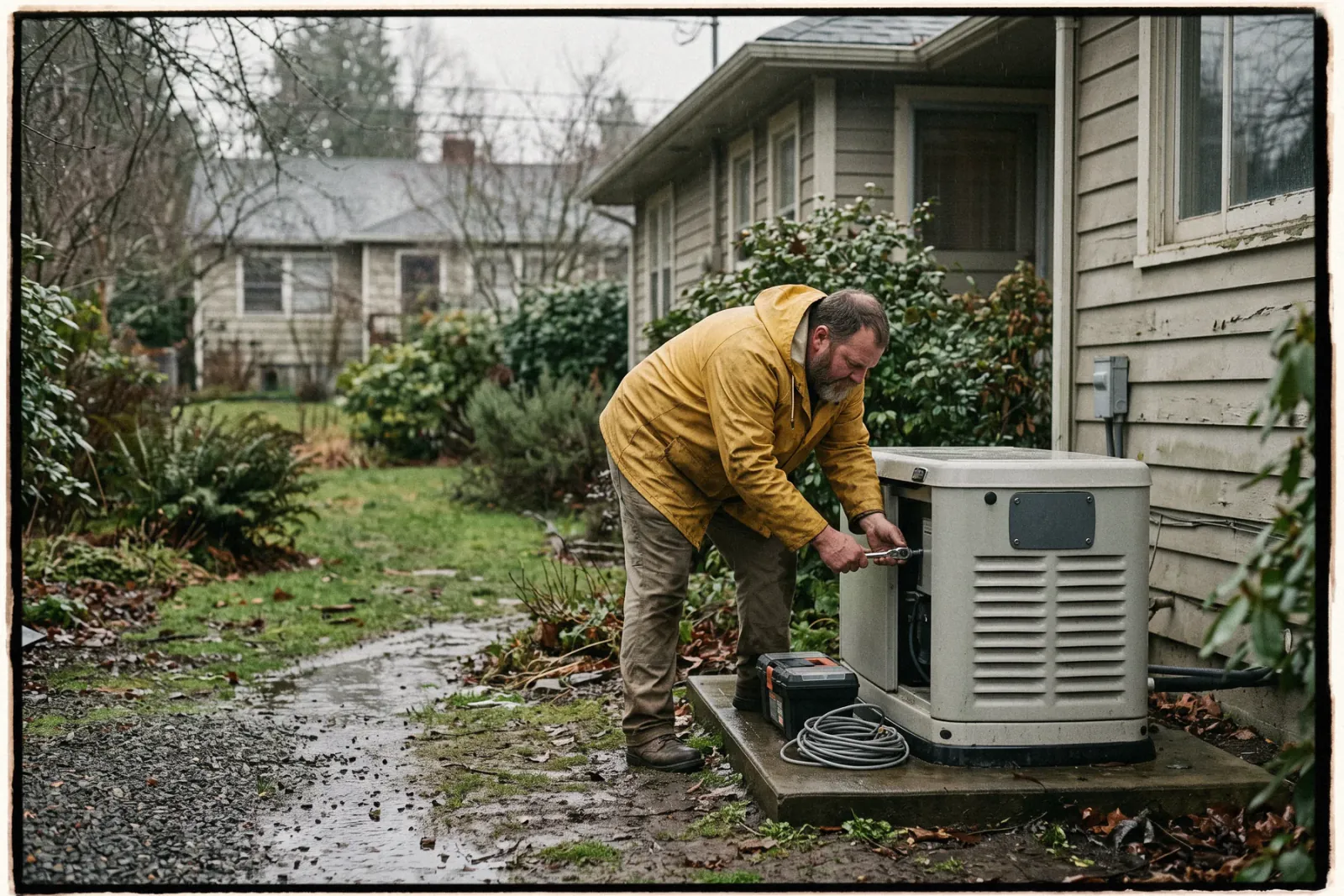
Standby generator installers need software for three stages: a sizing conversation that shows what each unit will power, a permitted install with gas, electrical, and pad work, and an annual maintenance relationship that keeps the unit ready. Revcore Pro presents essential circuit and whole-home options side by side, schedules the install trades, stores inspection photos, and bills maintenance agreements automatically. It does not calculate loads, so you size the unit your usual way and enter the result.
Where backup generators jobs get stuck.
The same few things cost backup generators crews time and money on every job. This is what Revcore takes off your plate.
- 01
Load sizing that confuses buyers
Present clear unit options with what each one will and will not power.
- 02
Permitting and gas hookups to track
Keep specs, permits, and inspection photos on the job for clean sign-off.
- 03
Maintenance that gets forgotten
Auto-schedule annual service so units stay under warranty and you stay booked.
How a backup generators job runs in Revcore.
From the first call to the final payment, every step happens on the same job record, so nobody retypes anything and nothing waits on the office.




Backup Generators job, example
Catch the post-outage demand
1/7




After a storm, inquiries spike. Web form requests land on the pipeline, two-way texting lets you reply in seconds, and a short survey collects fuel type, panel size, and what the homeowner needs to keep running.
Lead capturePhotograph the panel, the gas meter, the proposed pad location, and clearances, and mark them up. Record your load review and the circuits the homeowner cares about on the job, using your usual sizing method.
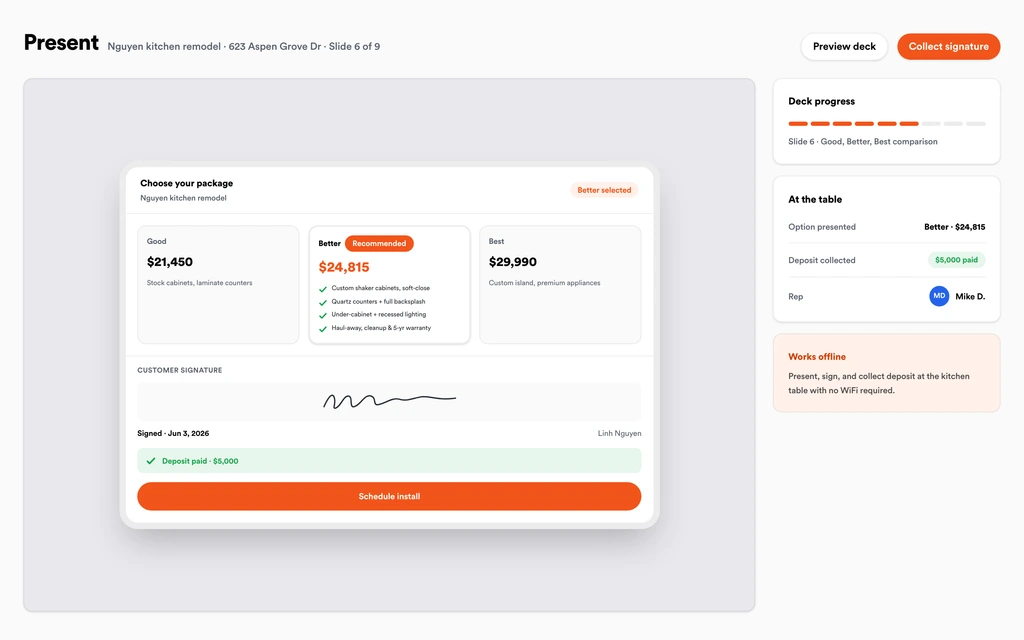
Job tracking and photosShow an essential circuit unit, a whole-home unit, and a premium option in the in-home presentation, with what each one powers. The homeowner sees the monthly payment math, signs, and pays the deposit in one step.
Sales presentationsRecord permit numbers, inspection dates, and the gas utility's meter or regulator requirements on the job. The homeowner follows along in the branded portal, with photos and documents, instead of calling the office to ask what the holdup is.
Homeowner portalBook the pad, the gas line, the transfer switch, and startup as separate visits on the crew board, synced to Google Calendar. Crews clock in with GPS, and the homeowner gets a text before each visit.
SchedulingShoot the set unit, the transfer switch, the gas connection, and the inspection sign-off. Store the serial number, registration details, and warranty on the job file, so the tech on the first service visit has everything in hand.
Job tracking and photosBill the final with change orders already on it, and collect by card or ACH with a text-to-pay link. Enroll the unit in an annual maintenance agreement that schedules the visit and charges the card on file.
Service agreementsSet up for the way backup generators jobs run.
Tiered system proposals
Whole-home and essential-circuit options side by side, with clear pricing.
Project documentation
Pad, gas, and electrical photos tied to the job for inspections.
Maintenance plans
Recurring annual service with automatic reminders and invoices.
Deposit and final billing
Collect up front and on completion with fast payouts (1 to 2 business days, or instant for eligible accounts).
What to look for in backup generators software.
Take this list to any demo or trial, ours included. If a tool cannot show you each of these on a real job, keep looking.
Side-by-side sizing options
Homeowners struggle to picture what a unit covers. Your proposal should show essential circuit and whole-home options with what each one powers.
Multi-trade install scheduling
Pad, gas, electrical, and startup are often different crews on different days. Look for separate visits on one job that are easy to move.
Inspection and utility records
Permits, gas utility requirements, and inspection sign-offs should sit on the job file with photos, visible to the office and the crew.
Serial and warranty tracking
Manufacturer warranties often depend on registration and regular service. Store the serial and install date where the service tech will see them.
Annual maintenance agreements
Every installed unit should become a service customer. Agreements should schedule the visit, bill automatically, and renew on their own.
Deposit and milestone billing
Units cost real money before install day. Take a deposit at signing and bill the balance on completion without rebuilding the invoice.
Lead source tracking after storms
Outage demand is spiky. Attribution shows which sources turned into signed installs, so you know where to spend before the next storm season.
The whole platform comes standard.
Quoting is the start. Every backup generators account runs the full job, from the first lead to the final payment, in one login.
- CRM and pipelineEvery lead and job on one board
- Estimates and proposalsGood, Better, Best, signed on the spot
- Scheduling and dispatchCrews on one shared calendar
- CommunicationsTexts, calls, and email in one thread
- Invoicing and paymentsDeposits and finals, paid online
- Service agreementsRecurring work, tracked
- AutomationsFollow-ups that send themselves
- ReportingRevenue and close rate at a glance
Comparing backup generators software?
Honest side-by-sides with the tools backup generators crews weigh most. Every plan is one flat price with crew seats included. See pricing.
- Revcore vs ServiceTitanEnterprise service platform. Revcore is lighter to run for generator installers.
- Revcore vs Housecall ProResidential service platform. Revcore adds the in-home presentation and multi-visit installs.
- Revcore vs FieldEdgeService and agreement focused. Revcore adds tiered sizing proposals and a homeowner portal.
- Revcore vs JobberSimple quoting and scheduling. Revcore adds agreements with equipment tracking and dispatch.
- All comparisons →
“Service calls used to take days to bill. Now the tech collects on site and the payment is in before the truck leaves the driveway.”

Composite operator based on early-access usage. Outcomes are illustrative; individual results vary.






Backup Generators questions, answered.
Still deciding if Revcore fits your crew? Talk to our team.
What is the best software for generator installers?
Generator work combines a sale, a permitted install, and ongoing service, so the tool needs presentations, project scheduling, and maintenance agreements. ServiceTitan and FieldEdge are common with larger electrical and mechanical shops, and Housecall Pro with smaller teams. Revcore Pro fits installers that want all three stages in one login with crew seats included.
Does Revcore size standby generators?
No. Revcore does not calculate electrical loads or recommend a unit size. Do your load review your usual way, record the circuits and results on the job, and present the unit options from your generator template so the homeowner sees what each size covers.
Can I show whole-home and essential circuit options side by side?
Yes. Build Good, Better, Best tiers such as an essential circuit unit, a whole-home unit, and a premium package, each with a margin check. The homeowner compares what each unit powers in the in-home presentation, then signs and pays the deposit in one step.
How do I manage generator maintenance agreements?
Create a service agreement billed annually or at another supported cadence, track the unit and its serial under the plan, schedule the service visit, and let it auto-renew. The card on file is charged each cycle, and the recurring revenue view shows your service base.
Can Revcore track permits and gas utility approvals?
Yes, on the job file. Record permit numbers, inspection dates, and utility requirements with photos, and move the job through pipeline stages so you see which installs are waiting and on whom. Revcore does not file permits or utility applications for you.
Is homeowner financing available for generators in Revcore?
Not yet. Built-in homeowner financing is on the roadmap. Today you can show monthly payment math inside the presentation next to each unit option, essential circuit through whole-home, and keep using your current lender for applications, approvals, and funding.
Can I handle a surge of leads after an outage?
Yes. Web forms and qualification surveys create leads automatically, two-way texting lets you reply in seconds, and automations send follow-ups so no inquiry sits. Lead source attribution shows which channels turned into signed installs, and the pipeline shows every inquiry by stage.
Does it work on my phone in the field?
Yes. Revcore runs on the web, iOS, and Android, so backup generators crews can open the job, add photos, take a signature, and collect payment from the site.
How fast can we switch over?
Most crews are live within a week. Paid plans include hands-on onboarding: we import your customers and pricing, set up your proposal templates, and add your team, then check in until it sticks.
What does Revcore Pro cost for backup generators?
Plans start at $249/mo billed monthly ($207/mo on annual billing, 2 months free) with crew seats included, plus CRM, estimating, scheduling, and invoicing. Every plan includes a 14-day free trial with no credit card required.







