What is field service management (FSM) software? A plain guide for contractors
Field service management software runs the work that happens at the customer's home: scheduling, dispatch, job tracking, invoicing and payment. Here is what it does on a real job, how it differs from a CRM, who needs it at each company size, what it costs, and where AI fits in 2026.

By The Revcore team
Reviewed by Hayden Mitchell, founder
Updated 12 min read

Quick answer
What is field service management software?
Field service management (FSM) software is the system a contractor uses to run work done at the customer's property. It schedules and dispatches crews, gives techs a mobile app with job details and photos, tracks each job's status, and turns finished work into an invoice and a payment, so the office and the field work from the same record.
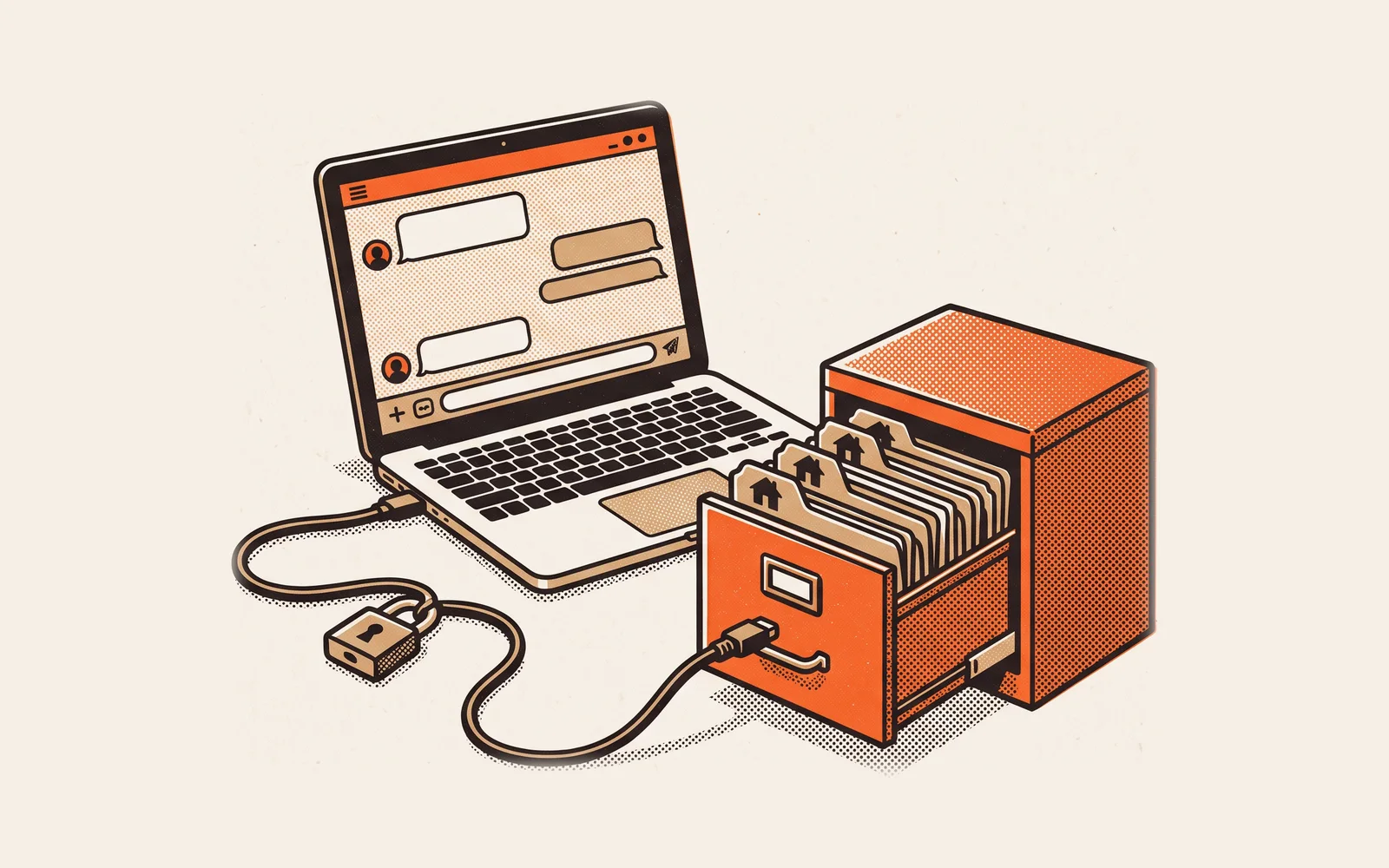
Every contractor runs field service management already. It might be a whiteboard in the shop, a group text with the crews, a paper work order on the dash and an invoice someone types up on Friday. That system works until it does not: a tech drives to the wrong address, a change on the job never reaches the office, or an invoice sits unsent for two weeks because the paperwork is still in a truck.
FSM software replaces that patchwork with one shared record for every job. This guide explains what the software actually does, walks one job through it from first call to cleared payment, shows how FSM differs from a CRM and an all-in-one platform, and gives you a way to tell whether your company needs it yet. If you are already comparing products, our best field service management software guide ranks the main options.
What does field service management software do?
The term comes from industries like telecom, utilities and equipment repair, where companies manage workers who are "at or en route to the property of clients," as Wikipedia's field service management entry puts it. For a home-service contractor, the job is the same: coordinate people and trucks who work in homeowners' houses, and get paid for what they do there. A real FSM platform covers these parts.
| Part | What it does | What breaks without it |
|---|---|---|
| Scheduling | Puts each job on a calendar with the right crew, duration and materials. | Double bookings, jobs that fall off the board, crews idle half a day. |
| Dispatch and routing | Assigns jobs to techs, orders the stops and sends the homeowner an on-the-way text. | Wasted drive time and homeowners calling to ask when the tech will arrive. |
| Field mobile app | Shows the tech the job, notes, scope and history on a phone, with clock-in and clock-out. | Techs calling the office for addresses, gate codes and what was sold. |
| Job tracking and photos | Keeps status, photos, checklists and notes on the job as it happens. | No proof of work, callbacks you cannot defend, and owners who learn about problems last. |
| Estimates and change orders | Prices the work and any changes found on site, with a signature. | Extra work done on a handshake and argued about at invoice time. |
| Invoicing and payments | Turns a finished job into an invoice and collects by card or bank transfer. | Cash tied up for weeks while paperwork travels back to the office. |
| Customer communication | Texts, reminders and a portal where the homeowner sees the job and pays. | Missed appointments and a phone that never stops ringing. |
| Reporting | Shows revenue, jobs, payments and lead sources across the company. | Decisions made on gut feel and a spreadsheet nobody trusts. |
How does FSM software work on a real job?
Here is one HVAC system replacement moving through a single system. The same flow applies to a roof, a panel upgrade, a repipe or a bathroom remodel. What changes by trade is the scope and the length of the job, not the steps.
The lead comes in
A homeowner fills out the form on your website. The lead lands in the system with its source attached, and an automatic text confirms you got it. Speed matters here: Jobber's 2026 Home Service Trends Report found over 70 percent of customers expect a same-day response.
The appointment is booked
The office books a comfort consultation on the sales rep's calendar. The homeowner gets a reminder the day before, so the rep does not drive out to an empty house.
The job is sold in the home
The rep builds good, better and best system options from your catalog, presents them on an iPad, and the homeowner signs and pays a deposit at the table. No one retypes the scope later because the signed estimate becomes the job.
The install is scheduled and dispatched
The install lands on the crew calendar with equipment, notes and photos from the sales visit. On install day the crew gets its route, and the homeowner gets an on-the-way text.
The work is tracked on site
The crew clocks in by GPS, takes before and after photos, and adds a change order if they find a problem behind the wall. The homeowner approves the change on the spot.
The job is invoiced and paid
The final invoice goes out the moment the job is marked complete. The homeowner pays by card or ACH from a text link or the homeowner portal, and the payment shows up in reporting against the original lead source.
Notice where the risk sits. It is not inside any one step. It is in the handoffs between them: lead to appointment, sale to schedule, finished job to invoice. When each step lives in a different app, somebody copies information across every one of those gaps. That is the work FSM software is supposed to remove.
FSM vs CRM vs all-in-one: what is the difference?
These labels overlap, which is why buying is confusing. The simplest way to separate them is by what each one is built around.
| Category | Built around | Usually strong at | Usually weak at |
|---|---|---|---|
| CRM | The customer and the sales pipeline | Leads, follow-up, estimates, lead source tracking | Crew scheduling, dispatch, job photos, field work |
| Field service management | The job and the technician | Scheduling, dispatch, mobile app, invoicing, payments | Sales pipelines and presenting high-ticket options in the home |
| Marketing platform | Campaigns and contacts | Funnels, forms, texting, email, automations | Anything after the sale: jobs, crews, change orders |
| All-in-one contractor platform | The whole job, lead to paid | One record across sales, operations and payments | Deep enterprise needs like a large call center or inventory warehouse |
A job does not respect these borders. It starts as a lead, becomes a sale, turns into scheduled work and ends as a payment. If you sell high-ticket work in the home, a classic FSM tool covers the second half well and leaves the first half to another product. Our guide to what a contractor CRM is covers the sales side in depth, and all-in-one vs point solutions walks through the tradeoff of running one platform versus several.
Who needs field service management software?
Company size is a rough guide, but the real signal is coordination. The moment more than one person needs to know where a job stands, a shared record starts paying for itself.
| Stage | What it looks like | What usually hurts first |
|---|---|---|
| Owner plus one crew | Owner sells, schedules and invoices. Under roughly $1M a year. | Invoices go out late because the owner does them at night. |
| Several crews, small office | Two to five crews and an office manager. | The schedule changes during the day and the field never hears about it. |
| Sales team plus crews | Dedicated salespeople, several crews, $2M to $10M a year. | Sold jobs lose details between the sales rep and the install crew. |
| Multi-trade or multi-location | Service and install divisions or a second branch, $10M to $30M a year. | Nobody can see cost per booked job or cash collected across divisions. |
If you are a one-person shop working from one calendar, a scheduling app and your accounting software may be enough for now. Once you have crews driving to jobs and an office that needs to talk to them, the manual version costs you in missed appointments, lost change orders and slow billing.
What features matter most for home-service contractors?
Feature lists all look the same on a pricing page. These are the ones that separate tools in daily use, with the trade where each one tends to matter most.
- Options on the estimate (roofing, HVAC, remodeling). High-ticket jobs close better with three options than one price. See good, better, best pricing.
- Selling in the home (roofing, windows, siding, HVAC replacement). A presentation on an iPad with signature and deposit at the table beats emailing a PDF. See what an in-home sales presentation is.
- Route order and on-the-way texts (plumbing, electrical, HVAC service). Service shops run many short stops a day, so the drive order and arrival texts save real hours.
- Change orders in the field (remodeling, plumbing, electrical). Work found behind the wall needs a price and a signature before it gets done. See contractor change orders.
- Deposits and stage payments (remodeling, roofing, exteriors). Long jobs need a deposit at signing and draws as work progresses. See deposits, draws and stage payments.
- Service agreements (HVAC, plumbing). Maintenance plans need recurring visits and billing that run without manual reminders.
- A full data export (every trade). Your customer and job records should be yours to download whenever you want.
How much does field service management software cost?
Pricing models vary more than features do. Here is how four platforms publish their prices, as verified on September 24, 2026. Check each vendor's page before you buy, because promotions and bands change.
| Platform | Pricing model | Published starting point |
|---|---|---|
| Jobber | Four plans priced by team-size band, $29/mo per extra user | Core at $49/mo month to month for 1 user; two-way texting starts on Grow at $199/mo for 1 user |
| Housecall Pro | Three plans with users included, $35/mo per user past 8 on MAX | Basic at $79/mo month to month or $59/mo billed annually for 1 user |
| ServiceTitan | Per technician, three packages, quote only | No dollar amounts published |
| Revcore | Three flat plans with seats included, $49/mo per extra seat | Starter at $249/mo with 3 seats; Pro $499/mo with 7; Scale $899/mo with 15 |
Sources: Jobber pricing, Housecall Pro pricing, ServiceTitan pricing and Revcore pricing. Entry prices are misleading for a company with a sales team and several crews. Price the plan you would actually need with your real headcount and the features you would actually use, including texting and add-ons. Our guides to how much contractor software costs and per-seat vs flat pricing show how to run that math, and the software ROI calculator helps you weigh it against time saved.
To be fair to each option: Jobber is polished and well supported for recurring and quick-turn service work, Housecall Pro includes texting and consumer financing on every plan, and ServiceTitan goes deeper than most on call centers, pricebooks, payroll and large fleets. The side-by-side pages for Jobber, Housecall Pro and ServiceTitan cover the details.
Does field service management software use AI?
Increasingly, yes, and contractors are already using it. Jobber surveyed over 1,000 US home service business owners for its 2026 report and found AI use is now mainstream.
Over half
of home service businesses use AI for quoting, invoicing and emails
88%
of high-confidence businesses use AI, versus 27% of low-confidence peers
70%+
of customers expect a same-day response to an inquiry
The part vendors rarely say out loud: AI is only as useful as the records it can read. An assistant that drafts a follow-up text needs the estimate, the homeowner's history and the last conversation. A report that explains why close rates dropped needs the lead source, the options presented and the outcome. When those live in four apps, the AI sees a quarter of the picture. When one job lives in one system from lead to payment, it can see all of it.
When a vendor demos AI features, ask three questions. What data does it read? Does a person approve anything before it goes to a homeowner? Can you turn it off? Good answers to those matter more than a clever demo.
Frequently asked questions
What is the difference between FSM software and a CRM?
A CRM is built around the customer and the sales pipeline: leads, follow-up and estimates. FSM software is built around the job: scheduling, dispatch, the field app, invoicing and payment. Contractors who sell in the home usually need both halves, either in one platform or two connected tools.
Is field service management software worth it for a small contracting company?
Usually once you run two or more crews or have an office that needs to coordinate with the field. Faster invoicing and fewer missed appointments tend to cover the cost. A solo owner working from one calendar can often wait until the second crew or the first office hire.
Can field service software take payments on the job site?
Most modern platforms can. Look for card and ACH payments from a text link or a portal, deposits collected at signing, and how quickly money reaches your bank. Processing fees differ by vendor, so compare them alongside the subscription price.
Do I still need QuickBooks if I use field service management software?
Most contractors keep accounting software for the books, payroll and taxes, and use FSM software for jobs, invoices and payments. Ask each vendor exactly how the two connect. On the Scale plan, Revcore imports your QuickBooks Online customers and invoices, and every plan can download a full data export.
How long does it take to set up field service management software?
It depends on how much data you move and how many people you train. A small shop can be running within days, while a company with a price book, open jobs and service agreements should plan a few weeks. Start with live jobs and bring history in behind them.
Further reading: Wikipedia's overview of field service management covers the category beyond the trades, and Jobber's 2026 Home Service Trends Report has the survey data on response times and AI use. To pick a product, use the buyer's checklist for contractor software, and when you are ready to move, see how to switch contractor software without downtime. For dispatch in depth, see the contractor dispatch software buyer's guide.
Written by the Revcore team. Reviewed by Hayden Mitchell, founder of Revcore Pro, who closed $3.5M of home improvement door to door and helped scale a contractor from $1M to $10M.