What is a contractor CRM? How it works, what it should do, and when you need one
A contractor CRM tracks every lead, estimate and customer from first call to signed job. Here is how it differs from field service software and in-home sales apps, what a pipeline looks like for a company that sells in the home, the features that matter, and when you actually need one.

By The Revcore team
Reviewed by Hayden Mitchell, founder
Updated 12 min read
Quick answer
What is a CRM for contractors?
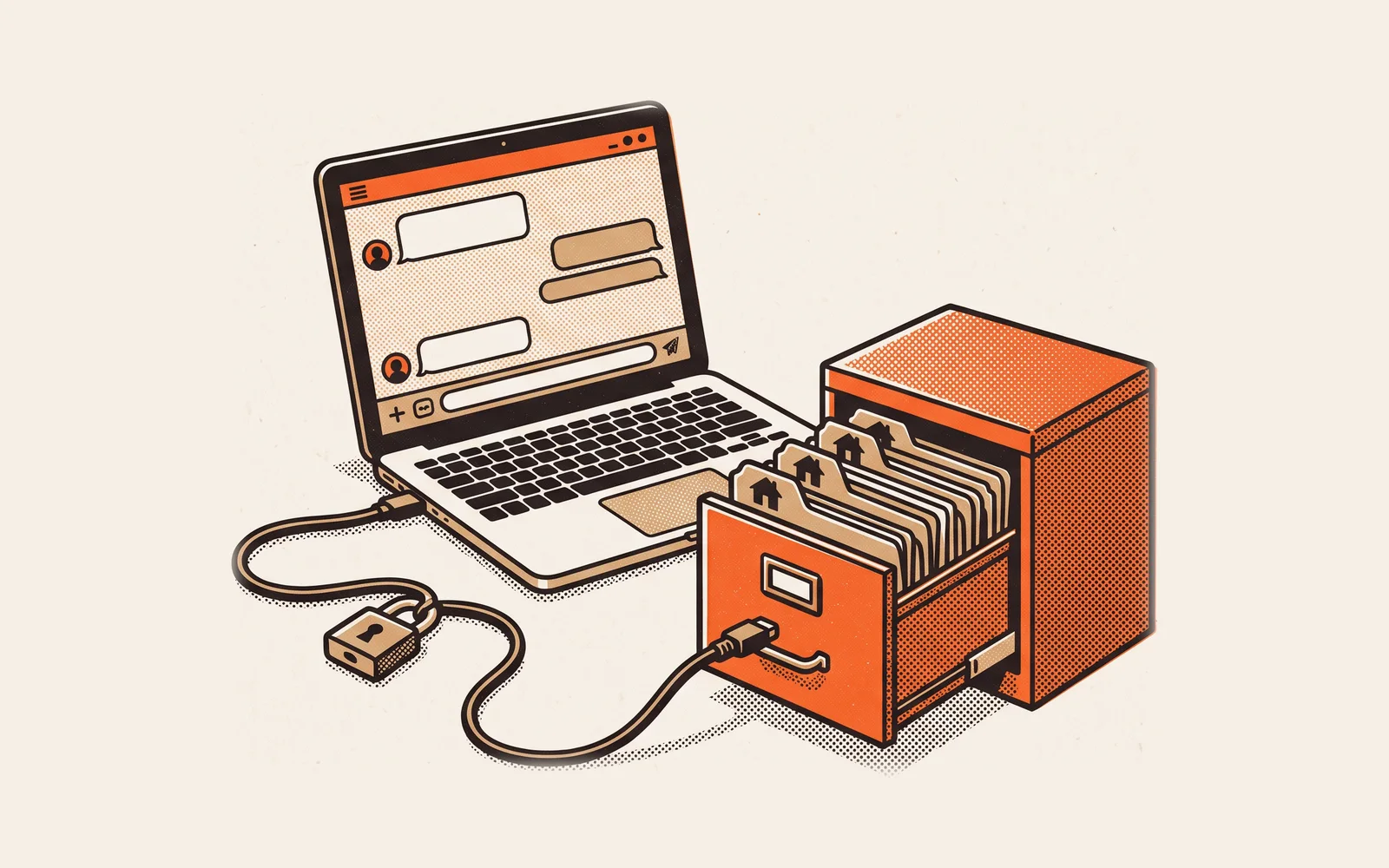
A contractor CRM (customer relationship management system) is the software that holds every lead, homeowner, estimate and conversation in one place and moves each one through a sales pipeline until the job is signed. Unlike a generic CRM, it is built around estimates, appointments and jobs, so follow-up happens on time and nothing sits on a sticky note.
Most contractors start with a phone, a spreadsheet and a good memory. That works while the owner answers every call and runs every appointment. It stops working the week you add a second salesperson, turn on paid ads, or start getting leads from your website, Google and a referral partner at the same time. Suddenly two people call the same homeowner and a three-week-old quote never gets a follow-up.
A CRM fixes that by giving every lead a home and every next step an owner. This guide explains what a contractor CRM is, how it compares with the other software you will hear about, what a real pipeline looks like for a company that sells in the home, and how to tell whether you need one yet. If you already know you need one and want to compare products, our best contractor CRM guide ranks the options.
What a contractor CRM actually does
Strip away the marketing and a CRM does four jobs. It captures leads from every source into one list. It organizes them into a pipeline so you can see what stage each one is in. It reminds people, or sends the message itself, when a next step is due. And it remembers everything: calls, texts, notes, photos, estimates and where the lead came from.
A contractor CRM does those four jobs in the language of the trades. A generic CRM is a blank canvas designed for companies selling software or consulting, with contacts, companies and deals. You can bend it to fit contracting, but you will spend weeks building fields for property address, roof age or equipment model, and it still will not know what an estimate or an install date is. A contractor CRM ships with homeowners, properties, appointments, estimates and jobs already in place.
CRM vs field service management vs in-home sales app
Buying software is confusing because three categories overlap and every vendor stretches its label. The simplest way to keep them straight is to ask which part of the job each one is built around.
| Contractor CRM | Field service management (FSM) | In-home sales app | |
|---|---|---|---|
| Built around | The lead and the customer | The job and the crew | The appointment at the kitchen table |
| Main users | Owner, sales manager, office, reps | Dispatcher, office, techs and crews | Sales reps in the home |
| Core features | Lead capture, pipeline, follow-up, customer history, source tracking | Scheduling, dispatch, work orders, job photos, invoicing, payments | Presentation, product options, pricing, e-signature, deposit |
| Starts at | First call or form fill | Signed job or booked service call | Appointment set |
| Usually stops at | The signed contract | Paid invoice | The signed contract |
| Weak spot on its own | Nothing happens after the sale | Weak at following up unsold estimates | No pipeline before or after the visit |
Field service software is covered in depth in what is field service management software, and the in-home visit itself in what an in-home sales presentation is. Note the last two rows: the handoff between tools is where information gets retyped or lost.
What a sales pipeline looks like for an in-home seller
A pipeline is just the list of stages a lead passes through on the way to becoming a job. Generic CRMs ship with stages like Prospect, Qualified and Negotiation, which mean little to a roofer or a remodeler. If you sell in the home, your stages should match what physically happens: someone calls, you book a visit, you present, you quote, they sign.
| Stage | What moves a lead into it | What should happen next | Owner |
|---|---|---|---|
| New lead | Form, call, text or referral comes in | Contact within minutes, qualify, book a visit | Office or inside sales |
| Appointment set | Visit booked on the calendar | Confirmation text, reminder the day before | Office |
| Presented | Rep ran the in-home visit | Options shown, decision asked for at the table | Sales rep |
| Quoted, not signed | Homeowner did not decide at the table | Follow-up sequence starts the same day | Sales rep |
| Signed | Contract signed, deposit taken | Hand off to production, order materials | Sales rep to office |
| Scheduled | Install date on the calendar | Crew assigned, homeowner notified | Production or dispatch |
| Lost | Homeowner chose someone else or went quiet | Record the reason, set a long-term check-in | Sales manager |
Two stages deserve extra attention. Presented is separate from Quoted, not signed because they tell you different things. If a rep presents 20 times and signs 8, you know the close rate at the table. The ones that land in Quoted, not signed are the jobs follow-up can still win. Our guide to what a good close rate is for in-home sales shows how to measure it by rep and lead source.
The second is Lost. Most contractors never mark a lead lost, so the pipeline fills with dead estimates and the numbers stop meaning anything. A required loss reason (price, timing, chose a competitor, no response) turns lost deals into a lesson instead of clutter.
How the pipeline changes by trade
- Roofing and exteriors: add an Inspection stage before Presented, and for storm work an Insurance claim filed stage, so reps can see which homeowners are waiting on an adjuster.
- HVAC replacement: service techs often create the lead. Add a Tech referral source so you can see how many replacement sales start on a repair call.
- Remodeling: add Design and Selections between Presented and Signed, because kitchen and bath projects rarely sign on the first visit.
- Plumbing and electrical: most work is same-day service, so the pipeline matters mainly for bigger jobs like repipes, water heaters, panel upgrades and generators.
Must-have features checklist
Every CRM demo looks good. Use this list to check what matters for a $2M to $30M residential contractor, and ask the vendor to show each item live rather than on a slide.
- Lead capture from every source. Website forms, calls, texts, Google and lead services should land on one board, without duplicates, tagged with where they came from.
- A pipeline you can customize. Your stages, your required fields, your loss reasons. If you must fit the vendor's process, reps will work around it.
- Estimates on the customer record. Quotes with good, better and best options should live on the lead, not in a separate app someone has to check.
- Two-way texting logged to the record. Homeowners answer texts. Every message should be saved where the next person can see it.
- Automated follow-up. Reminders and messages that fire when a lead enters a stage, such as a text the day after a quote goes unsigned.
- Signature and deposit at the table. If a rep has to go back to the office to send a contract, you have added a day for the homeowner to cool off.
- A handoff to the job. When a lead signs, the job should be created with everything the crew needs, not retyped.
- Lead source reporting. Revenue and close rate by source, so you know which marketing pays. See marketing attribution for contractors.
- A mobile app reps will actually use. If updating a lead takes more than a few taps in a driveway, the data will be wrong by Friday.
Why follow-up is where a CRM earns its cost
Much of the value of a CRM comes from one habit: following up on quotes that did not sign at the table. It is also the habit most contractors skip. In ServiceTitan's 2026 survey of more than 1,000 roofing-focused companies, only 16 percent said they follow up with homeowners the same day on unsold estimates (ServiceTitan).
16%
of roofing and exterior contractors follow up the same day on unsold estimates
1,000+
roofing-focused companies surveyed, fielded by Thrive Analytics
A CRM does not make reps care, but it removes the excuses. When a quote moves to Quoted, not signed, the follow-up task appears, the first text can go out automatically, and the sales manager can see who has not touched their open quotes in a week. For the messages themselves, see how to follow up on an unsold estimate.
How to set up a contractor CRM
Write down your real stages first
Before you open any software, list what actually happens from first call to install date. Use the pipeline table above as a starting point and cut any stage nobody will update.
Connect every lead source
Point your website forms, phone number and lead services into the CRM so nothing starts life in someone's personal inbox. Tag each one with its source from day one.
Import customers and open quotes
Bring in past customers and every open estimate. Past customers are your cheapest source of repeat and referral work, and open estimates are money already in play.
Build three follow-up automations
Start small: a confirmation text when an appointment is set, a reminder the day before, and a follow-up sequence when a quote goes unsigned. Add more once these run cleanly.
Make the pipeline the meeting
Run your weekly sales meeting from the pipeline screen, not from memory. If a deal is not in the CRM, it does not get discussed. Reps update it quickly once that is the rule.
When you need one, by company size
There is no revenue number that makes a CRM mandatory. The trigger is usually the number of people touching leads and the number of places leads come from. The ranges below are rules of thumb, not benchmarks.
| Where you are | What usually breaks | What you need |
|---|---|---|
| Owner sells everything, under about $2M | Mostly fine. Follow-up slips in busy season. | A simple pipeline and texting. A spreadsheet can still work. |
| $2M to $5M, two to five reps or estimators | Leads fall between people, no one sees the whole pipeline | A real CRM with lead capture, stages and follow-up automations |
| $5M to $15M, a sales manager and paid marketing | No clear view of which source or rep is profitable | CRM plus reporting by rep and lead source, tied to signed revenue |
| $15M to $30M, several teams or locations | Sales, production and billing live in different systems | One platform from lead to paid invoice, with permissions and an API |
The larger you get, the more the handoff matters. At $3M, retyping a signed job into a scheduling tool is an annoyance. At $20M, it is a full-time job and a steady source of errors. If you feel that already, signs you have outgrown your contractor software is worth a read.
Common mistakes when choosing a contractor CRM
- Buying a CRM that stops at the sale. You then need separate tools for scheduling, invoicing and payments, and someone to keep them in sync. Our comparison of all-in-one vs point solutions walks through the tradeoff.
- Copying a generic sales process. Stages built for software sales confuse reps and get ignored. Use stages that match the visit.
- Skipping lead source tracking. If source is not captured at the first touch, you can never tie marketing spend to signed jobs later.
- Letting reps keep their own lists. A rep's personal spreadsheet or phone notes is a pipeline you do not own and will lose if they leave.
- Never marking deals lost. A pipeline full of dead quotes hides the live ones and makes every forecast wrong.
- Pricing it per seat without doing the math. Per-user pricing looks cheap for three people and expensive for fifteen. Check the cost at your size in two years.
Frequently asked questions
What is the difference between a CRM and field service management software?
A CRM is built around the lead and the sale: capture, pipeline, follow-up and customer history. Field service management software is built around the job after it is sold: scheduling, dispatch, work orders, invoicing and payment. Many contractors need both, which is why platforms that cover the whole path from lead to paid invoice are popular.
Can I use a generic CRM for my contracting business?
You can, but expect to build it yourself. Generic CRMs do not know what an estimate, property or install date is, so you will spend time on custom fields and integrations to reach what a contractor CRM does out of the box. The bigger gap is usually the lack of estimates, scheduling and payments.
How much does a contractor CRM cost?
It depends on whether you pay per user or a flat rate and on what is included. Standalone CRMs are usually cheaper up front but need other tools beside them. Revcore's plans are $249, $499 and $899 a month for 3, 7 and 15 seats. Our guide to contractor software cost covers the wider market.
Do my salespeople need a separate in-home sales app?
Not if the CRM includes one. What matters is that a rep can present options, get a signature and take a deposit at the table, and that the result lands on the same customer record. If those live in separate apps, someone ends up retyping the signed job.
How long does it take to set up a contractor CRM?
A basic setup with your stages, lead sources and imported customers can be running in days. Getting reps to live in it takes longer and depends on the rule you set: if the weekly sales meeting runs from the pipeline, adoption follows. See switching software without downtime for a full plan.
Further reading: to compare specific products, see our best contractor CRM guide. For the job side of the business, read what field service management software is, and for the messages that win back quiet quotes, see 5 follow-up texts that turn cold leads into jobs.
Written by the Revcore team. Reviewed by Hayden Mitchell, founder of Revcore Pro, who closed $3.5M of home improvement door to door and helped scale a contractor from $1M to $10M.